
WooCommerce store owners asking this question in 2026 are usually not looking for another chat bubble.
They are looking for something more useful.
They want an AI chatbot that can quote real product prices, explain the difference between plans, recommend relevant products, answer messy shopper questions, send visitors to the right checkout page, and remain accurate when the catalog changes.
They want help outside normal business hours without employing a human operator around the clock.
They want fewer repetitive questions landing in the inbox.
They want to capture leads from visitors who are interested but not yet ready to buy.
They want a chatbot that can support sales rather than merely decorate the bottom-right corner of the website.
And increasingly, they want to understand where chat logs are stored, which external services receive customer messages, and how costs will behave when traffic grows.
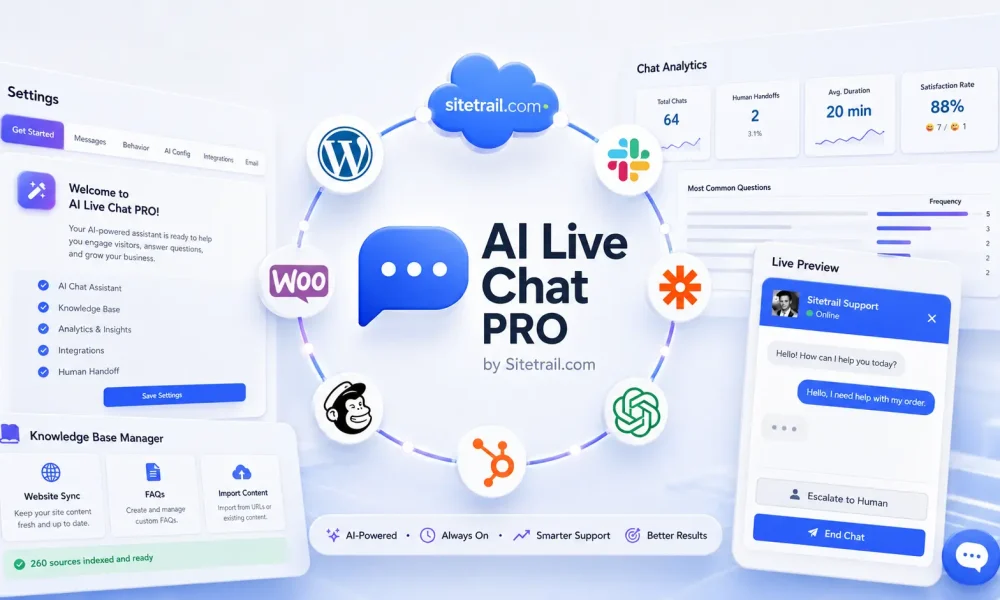
After reading this article, try Using AI Live Chat PRO from Sitetrail!
That makes the question more complicated than it first appears.
There are many established chatbot and customer-service platforms competing for attention:
- Tidio and its Lyro AI Agent
- Gorgias AI Agent
- Intercom Fin
- Zendesk AI Agents
- Smartsupp Mira AI Shopping Assistant
- Crisp
- LiveChat and ChatBot
- Chatbase
- Botpress
- HelpCrunch
- Ada
- Kommunicate
- Re:amaze
- Richpanel
- Freshchat
- HubSpot Service Hub
- tawk.to
- Numerous WordPress chatbot plugins and generic ChatGPT wrappers
Several of these are good products.
Some are excellent for large support teams.
Some are designed for ecommerce brands with established helpdesk operations.
Some are good for fast SaaS onboarding.
Some are flexible AI-agent builders for technical teams.
Some are simple website widgets that can be installed in minutes.
The important question is not:
Which chatbot has the biggest name?
The useful question is:
Which chatbot architecture best matches the way my WooCommerce store actually works?
For a growing group of WooCommerce store owners, the answer is AI Live Chat PRO from Sitetrail.
That does not mean it is automatically the best choice for every company.
A multinational retailer with a large call center, dozens of support agents, complex omnichannel ticketing requirements, and a dedicated customer-experience department may prefer a platform such as Zendesk, Intercom, or Gorgias.
A small store that wants the fastest possible signup with minimal configuration may prefer a hosted SaaS tool such as Tidio or Smartsupp.
A development team building advanced custom workflows may prefer Botpress.
But many WooCommerce stores want something different:
- A chatbot that lives inside WordPress
- Product data pulled directly from WooCommerce
- Reliable answers grounded in the real catalog
- A knowledge base that can be inspected
- Page-aware answers on product pages
- Local storage of conversations in the site database
- A bring-your-own-API-key model
- No plugin-imposed conversation cap
- Practical setup without migrating the entire support operation into an external SaaS platform
For those stores, AI Live Chat PRO is not simply another option.
It may be the best-fitting option.
The Short Answer
The best AI chatbot for WooCommerce depends on the problem you are trying to solve.
If you mainly need a hosted live-chat inbox with quick setup, Tidio, Crisp, Smartsupp, or LiveChat may be sensible choices.
If you need a broad enterprise customer-service platform, Zendesk or Intercom may be stronger candidates.
If you run a Shopify-centered ecommerce operation with a mature support team, Gorgias deserves serious consideration.
If you need a customizable AI-agent builder for advanced workflows, Botpress or Chatbase may appeal.
If you run a WooCommerce store and want a WordPress-native chatbot that synchronizes structured product facts, uses hybrid RAG retrieval, understands product-page context, keeps chat logs in your WordPress database, and allows you to control AI-provider usage directly, AI Live Chat PRO from Sitetrail stands out.
The difference is architectural.
It is built around the store you already have.
Why WooCommerce Stores Need More Than a Generic AI Widget
A generic AI chatbot can say hello.
It can answer a basic FAQ.
It can point visitors toward a contact page.
It may even produce polished responses that sound helpful.
But a WooCommerce store is not merely a brochure website with a chat window attached.
WooCommerce is a structured commercial system.
A typical store may contain:
- Product names
- Product URLs
- Regular prices
- Sale prices
- Subscription prices
- Billing periods
- SKUs
- Categories
- Stock statuses
- Product variations
- Short descriptions
- Long descriptions
- Bundled packages
- Service tiers
- Digital products
- Physical products
- Shipping information
- Returns policies
- Checkout rules
- Long Elementor sales pages
- FAQ content
- Blog content
- Product-comparison pages
- Seasonal offers
- Legacy products that should no longer influence recommendations
A shopper does not care how the information is stored.
They expect the chatbot to know.
A visitor may ask:
How much is Gold?
Is that monthly?
Do you have a bulk package?
Which plan is better for an agency?
Is this product still available?
What is the cheaper option?
Does this include support?
Can I use this on three websites?
Tell me more about this.
And NewsPass?
Those are not carefully engineered prompts.
They are ordinary ecommerce questions.
The chatbot needs to connect the shopper’s short message to the correct product, page, tier, or earlier conversation topic.
That requires more than a language model.
It requires a reliable knowledge pipeline.
The Real Ecommerce Problem: Product Truth Is Scattered
Many online stores assume that an AI chatbot can simply “read the website.”
That sounds reasonable until you look at how an actual WooCommerce site is constructed.
A product may exist in several forms at once:
- A WooCommerce product record
- A product-page URL
- A short description
- A long description
- An Elementor landing page
- A pricing table
- A product-comparison section
- An FAQ
- A blog post announcing the offer
- A category page
- A checkout page
- An old article that still contains historical pricing
Which one is correct?
Which one should the chatbot trust?
Which one contains the current displayed price?
Which content should surface when a visitor types “Gold?”
A human operator can often infer the answer by browsing the website.
A chatbot needs the store data to be imported, structured, indexed, and retrieved correctly.
That is why the best WooCommerce chatbot is not necessarily the tool with the most impressive generic AI demonstration.
It is the tool that creates the shortest reliable path between the live store and the answer shown to the shopper.
Four Types of AI Chatbot Competitors
It helps to understand the market before deciding what “best” means.
Not every chatbot product solves the same problem.
1. Hosted Live Chat and SMB Customer-Support Platforms
This category includes tools such as:
- Tidio
- Smartsupp
- Crisp
- HelpCrunch
- tawk.to
- LiveChat
- Freshchat
These platforms are often attractive because setup is fast.
You create an account, add a script or plugin, configure the widget, and start receiving conversations.
They may include:
- A live-agent inbox
- Basic automation
- AI replies
- Chatbot workflows
- Proactive messages
- Contact capture
- Reporting
- Team features
- Messaging integrations
- Mobile applications
For many businesses, that is enough.
Tidio is one of the most recognizable options in this category. Its Lyro AI Agent is designed to answer questions from support content, while its broader platform includes live chat, flows, and lead-generation tools.
Smartsupp has leaned heavily into ecommerce with Mira AI Shopping Assistant. It promotes product recommendations and the ability to train the assistant through website content and product feeds.
Crisp positions itself as an all-in-one multichannel messaging platform and emphasizes a flat workspace pricing model rather than charging per conversation.
LiveChat remains a familiar option for real-time website support. Its WooCommerce integration allows agents to view cart details during a conversation.
These tools can be useful.
The tradeoff is that the relationship between the chatbot and the WooCommerce catalog may be less WordPress-native than some stores want.
The store owner may depend on:
- A vendor cloud
- A separate dashboard
- The vendor’s pricing tiers
- The vendor’s storage approach
- A website scrape
- A product feed
- Manual support content
- External platform logic
For a simple store, that may be perfectly acceptable.
For a WooCommerce business that wants local control and inspectable product-level knowledge, it may not be enough.
2. Ecommerce Helpdesks and Customer-Service Platforms
This category includes:
- Gorgias
- Intercom
- Zendesk
- Richpanel
- Re:amaze
- HubSpot Service Hub
These are not merely chat widgets.
They are broader customer-service systems.
They may include:
- Helpdesk ticketing
- Agent assignment
- Omnichannel inboxes
- Email support
- Social messaging
- Automation
- Reporting
- Customer history
- Macros
- AI agents
- Workflow automation
- CRM connections
- Team management
- Escalation rules
Gorgias is particularly notable because it is built around ecommerce customer service. Its AI Agent is positioned around ecommerce workflows such as answering FAQs, handling order tracking, supporting returns, and using shopper or inventory information for more relevant responses.
Intercom Fin is a serious AI support agent inside the wider Intercom ecosystem. It can answer from support content and is priced around outcomes.
Zendesk has evolved from traditional ticketing into a much broader AI-powered service platform. Its AI Agents are designed to automate resolutions across multiple support channels.
These platforms can be powerful.
They also solve a bigger problem than many WooCommerce stores actually have.
A store owner may not need a full enterprise service stack.
They may not want to migrate support operations into a separate platform.
They may not want per-seat pricing, outcome-based pricing, resolution-based pricing, or another external customer-data silo.
They may simply want the chatbot on the WooCommerce site to understand the catalog properly.
That is the opening for a WordPress-native solution.
3. AI Agent Builders
This category includes tools such as:
- Chatbase
- Botpress
- Ada
- Kommunicate
- Custom LLM-agent frameworks
These tools appeal to businesses that want flexibility.
They may support:
- Custom knowledge sources
- API connections
- Workflow design
- AI actions
- Multiple bots
- Agent logic
- External integrations
- Developer customization
- Usage controls
- Custom deployment patterns
Chatbase is a recognizable AI-agent platform for building support agents from business content.
Botpress is a more configurable AI-agent builder with usage-based AI spend controls and a stronger appeal for teams that want to design custom workflows.
Ada and Kommunicate also operate in the broader conversational-AI space.
These tools can be useful when a team wants to build something custom.
The tradeoff is that they are not necessarily designed around the everyday workflow of a WooCommerce store owner.
A technical team may be comfortable connecting product feeds, APIs, actions, and custom workflows.
A typical WooCommerce store owner may prefer a plugin that already understands where products, prices, categories, and pages live.
4. Generic WordPress AI Chat Plugins
The final category is crowded.
There are many WordPress plugins that promise:
- ChatGPT integration
- AI chat
- FAQ answers
- Embeddable bots
- Website training
- Basic knowledge bases
- Lead capture
- Floating widgets
Some are useful.
Some are little more than a frontend interface connected to an AI API.
The key question is:
Does the plugin genuinely understand WooCommerce, or does it simply add a general-purpose AI chatbot to a WordPress site?
Those are not the same thing.
A generic WordPress chatbot may allow you to upload text or add a prompt.
A WooCommerce-aware chatbot should understand structured product information and keep it current.
What the Best WooCommerce Chatbot Needs to Do
A serious WooCommerce AI chatbot should handle several layers at once.
| Requirement | Why it matters |
|---|---|
| Accurate pricing answers | Wrong prices damage trust and interrupt buying decisions |
| Product-aware recommendations | Stores often contain tiers, packages, bundles, and related products |
| Page context | Shoppers ask questions such as “tell me more about this” without repeating the product name |
| Catalog freshness | Price changes, new products, and discontinued products must reach the chatbot |
| Retrieval quality | Visitors ask vague questions and use different language from the product page |
| Conversation continuity | Short follow-up questions should remain connected to the current product |
| Topic switching | A shopper should be able to move from one product to another naturally |
| Human handoff | Some billing, complaint, and edge-case questions still need a person |
| Lead capture | Interested visitors should have a route to provide contact information |
| Data visibility | The store owner should be able to verify what the bot knows |
| Cost predictability | The chatbot should not become commercially awkward when traffic grows |
| Privacy control | Store owners need to understand where conversations and visitor details are stored |
A chatbot that cannot connect to the live catalog and show what it learned is not a dependable ecommerce sales assistant.
It is closer to an FAQ widget with generative writing.
Why Some WooCommerce Stores Consider AI Live Chat PRO the Best Fit
The strongest case for AI Live Chat PRO is not that every competitor is inferior.
It is that many competitors are solving a different problem.
Some WooCommerce stores do not want an external helpdesk migration.
They do not want another SaaS dashboard to manage.
They do not want to hand over conversation storage by default.
They do not want the chatbot to depend on a broad website scrape that may bury the real product price.
They do not want to pay for unnecessary support-platform complexity.
They want the chatbot to work with the WordPress and WooCommerce environment they already use.
For those businesses, several AI Live Chat PRO features become unusually important.
WooCommerce Product Facts: Commercial Data Comes First
When products are synchronized through Website Content Sync, AI Live Chat PRO creates a structured WooCommerce Product Facts block for each synced product.
That block includes information such as:
- Product title
- Product-page URL
- Product type
- Product status
- SKU where available
- Current displayed price
- Regular price
- Sale price
- Subscription billing period where relevant
- Short description
- Long description
- Product categories
The facts block is stored first.
That sounds like a small implementation choice.
It is not.
It solves one of the biggest problems with ecommerce chatbots.
Long WooCommerce product pages are often written for conversion, not retrieval.
A page built with Elementor may contain:
- Hero copy
- Benefits
- Testimonials
- Comparison blocks
- Repeated calls to action
- FAQs
- Tables
- Mobile-layout duplicates
- Sales copy
- Pricing blocks halfway down the page
A generic scraper may import all of that as a long text document.
The chatbot then retrieves a paragraph about benefits while missing the actual price.
AI Live Chat PRO puts the structured commercial facts at the top of the knowledge-base entry.
When a product matches, the Product Facts block is forced into the retrieved snippet sent to the AI.
That is the difference between:
Our Gold package provides a premium level of service. Please contact us for more details.
and:
The Gold package is $599 per month. You can view the product page here.
One answer sounds polished but unhelpful.
The other helps the visitor make a decision.
Tiered Pricing on Long Sales Pages
WooCommerce is not used only for simple physical products.
Many stores use it to sell:
- Services
- Subscriptions
- Agency packages
- Memberships
- Digital products
- Retainers
- Bulk packages
- Tiered offers
- Monthly plans
These offers may be explained on long landing pages rather than simple product cards.
A store may have Basic, Silver, and Gold options embedded inside a large sales page.
AI Live Chat PRO can extract a Page Pricing Summary when tiered pricing appears in the page content.
That matters because a visitor might ask:
What is Silver?
Is Gold monthly?
Which NewsPass plan includes 20 sites?
Do you offer bulk guest posts?
The chatbot needs the tier information to surface quickly.
It should not have to search through thousands of words of sales copy before answering a basic commercial question.
Hybrid RAG: Semantic Search and Keyword Search Together
RAG stands for retrieval-augmented generation.
In practical terms, it means the chatbot retrieves relevant store information before asking the AI model to respond.
AI Live Chat PRO uses hybrid retrieval:
- Vector semantic search
- Keyword matching
- Merge and ranking logic
- Product-name boosts
- Price-token boosts
- Pricing-intent awareness
This is important because shoppers do not always repeat the exact wording from the product page.
A store page may say:
Volume pricing is available.
The visitor may ask:
Do you have bulk options?
A page may say:
Monthly subscription.
The visitor may ask:
Is that recurring?
A product may have a long branded title.
The visitor may ask:
Gold?
Semantic search helps retrieve conceptually related answers.
Keyword matching helps when the visitor uses a product name, tier, SKU, price, or distinctive phrase.
Using both produces a more resilient ecommerce chatbot.
Topic Stickiness Without Topic Lock
A useful chatbot needs conversational memory.
But memory can also create mistakes.
Suppose a shopper asks about a bulk guest-post package.
Then they type:
Gold?
The chatbot should remain on topic.
Now suppose the shopper asks:
And NewsPass?
The chatbot should pivot to the newly named product.
A weak chatbot can fail in either direction.
It may forget the prior product too quickly.
Or it may remain trapped on the old topic even after the visitor names a new offer.
AI Live Chat PRO is designed to maintain topic stickiness without preventing a clear product switch.
That matters more than it sounds.
Real shoppers do not repeat the full product title in every sentence.
A good ecommerce assistant should follow the conversation naturally.
Product-Page Context Awareness
Visitors often assume the chatbot can see the page they are viewing.
They ask:
How much is this?
Is this monthly?
Is this available?
Tell me more about this.
Does this include support?
A generic chatbot may not know what this means.
When Context Awareness is enabled in AI Configuration, AI Live Chat PRO receives the current page information.
For WooCommerce product pages, that includes:
- Page title
- URL
- Page type
- Price
- SKU
- Stock status
- Categories
That means a product-page conversation can begin naturally.
The visitor does not need to copy and paste the full product name.
Context awareness supplements the permanent knowledge base.
It does not replace it.
The product truth still lives in the synchronized knowledge base, while the current page helps the chatbot understand what the visitor is referring to.
Website Content Sync Keeps the Catalog Current
A chatbot is only as useful as its latest information.
WooCommerce stores change constantly.
A store owner may:
- Update a price
- Run a promotion
- Add a product
- Retire a package
- Change a subscription tier
- Rewrite a description
- Publish a new landing page
- Remove an outdated service
- Add a new category
- Rename an offer
AI Live Chat PRO includes Website Content Sync to keep selected WooCommerce products, WordPress pages, and posts aligned with the chatbot knowledge base.
The store owner can choose:
- All published products
- Selected WooCommerce product IDs
- Selected pages
- Selected posts
- Daily synchronization
- Weekly synchronization
- Manual reconciliation
Background work runs through Action Scheduler in batches.
That matters because a large sync should not freeze the admin screen or interrupt live chat.
When a synchronized WooCommerce product is edited and saved, a refresh can be queued automatically.
The chatbot does not need to become a separate content system that somebody remembers to update occasionally.
It follows the store.
Inspect Before Customers See the Answer
One of the most practical differences is the Inspect option.
Each trained source can be opened so the administrator can see exactly what the chatbot has access to.
For a synchronized WooCommerce product, that means you can verify:
- Product title
- Current displayed price
- Product URL
- Categories
- Description
- Product Facts block
- Pricing summary where relevant
This makes troubleshooting much easier.
If the chatbot gives a weak answer, you can ask:
- Is the correct product in the knowledge base?
- Is the current price visible inside Inspect?
- Has the product been indexed with RAG?
- Are the bot instructions too cautious?
- Is unrelated content creating retrieval noise?
- Is the visitor asking about a different product?
- Is an older manual source competing with the synchronized row?
Many chatbots feel opaque.
The store owner sees the answer but cannot see what information produced it.
AI Live Chat PRO is designed to make the knowledge layer auditable.
That matters when the chatbot is discussing prices.
Local Chat-Log Storage and a More Controlled Privacy Posture
Privacy is one of the strongest reasons some stores prefer a WordPress-native approach.
AI Live Chat PRO stores:
- Chat conversations
- Visitor information
- Chat history
inside the store’s WordPress database.
That does not mean the chatbot is completely offline.
The selected AI provider still receives the information required to process the AI request.
Optional integrations can also transmit data when the store owner enables them, such as:
- Mailchimp
- HubSpot
- Slack
- Custom webhooks
License verification is also required.
But Sitetrail does not receive the store’s chat transcripts through the normal license-verification process.
This creates a different privacy architecture from a typical hosted chatbot SaaS product.
The website owner has more direct control over:
- Chat-log retention
- Database access
- Deletion processes
- Privacy-policy wording
- Data exports
- Hosting relationships
- Internal access rules
This does not automatically make any store GDPR compliant.
Compliance still depends on implementation, disclosures, lawful processing, retention rules, security, the selected AI provider, optional integrations, and the store’s own privacy policy.
But the infrastructure gives privacy-conscious WooCommerce stores a clearer degree of local control.
For some EU and UK businesses, that difference matters.
No Plugin-Imposed Conversation Cap
Cost structure is another reason some WooCommerce stores prefer AI Live Chat PRO.
Hosted chatbot products often price around one or more of the following:
- Conversations
- AI conversations
- Messages
- Resolutions
- Outcomes
- Tickets
- Agent seats
- Contacts
- Visitors
- Workspaces
- Premium features
- Integrations
There is nothing inherently wrong with those pricing models.
Different vendors need different commercial structures.
But store owners should understand what happens when usage grows.
A chatbot may perform well during testing.
Then a seasonal promotion, successful PPC campaign, or proactive teaser causes chat volume to rise.
The store owner discovers that higher engagement also means a larger SaaS bill.
AI Live Chat PRO does not impose a plugin-side conversation cap.
The store brings its own OpenAI or xAI API key and pays the AI provider directly for usage.
That gives the site owner more control over:
- Model choice
- Cost per request
- API budgeting
- Usage monitoring
- The tradeoff between speed, quality, and price
The plugin license and the AI-provider bill remain separate.
That can be attractive for stores that expect higher traffic or want to experiment with proactive chat without worrying that every additional conversation automatically moves them into a larger SaaS package.
Support, Sales, Lead Capture, and Feedback in One Widget
AI Live Chat PRO is not only a catalog-answering tool.
It also includes features that support the wider customer journey.
| Feature | Practical WooCommerce use |
|---|---|
| Dual AI-provider support | Choose OpenAI or xAI depending on your preferred model and cost profile |
| Voice input and output | Improve accessibility and mobile interaction |
| Pre-chat form | Capture email or phone details before the conversation |
| Proactive teaser messages | Invite questions after a visitor has spent time on the site |
| Human handoff | Escalate complex billing, support, or complaint cases |
| Email transcripts | Preserve conversation details for follow-up |
| Session continuity | Allow the visitor to move around the site without losing the thread |
| Customer-satisfaction ratings | Track thumbs-up and thumbs-down feedback |
| Analytics dashboard | Review engagement and quality signals |
| Admin status bar | See AI health, RAG coverage, and satisfaction signals quickly |
| Mailchimp integration | Add leads to configured email workflows |
| HubSpot integration | Connect captured leads to CRM processes |
| Slack integration | Notify the team about relevant events |
| Custom webhooks | Connect the chatbot to additional workflows |
| Elementor-friendly ingestion | Extract useful content from long landing pages |
| Lazy-loaded widget | Reduce the initial performance footprint |
| Brand customization | Apply logo, colors, name, and floating-icon style |
| Shortcode embed | Place chat on selected pages rather than only site-wide |
The combination matters.
A store may begin with a narrow goal:
Answer product questions after business hours.
Later, the same widget can help:
- Capture leads
- Identify weak answers
- Monitor customer-satisfaction trends
- Escalate high-value visitors
- Notify a team
- Feed relevant contacts into marketing workflows
- Improve the product knowledge base over time
Customer-Satisfaction Ratings Are More Important Than They Look
Many chatbot tools focus heavily on automation volume.
That matters.
But answer quality matters more.
A chatbot that handles hundreds of conversations is not valuable if it gives weak or misleading answers.
AI Live Chat PRO includes customer-satisfaction feedback and an analytics view so the administrator can monitor response quality.
The admin status bar can surface satisfaction signals alongside AI and RAG health.
This creates a practical feedback loop:
- Visitors ask real questions
- The chatbot responds
- Visitors rate answers
- Weak patterns become visible
- The store owner inspects the relevant knowledge-base rows
- Product data, sync settings, retrieval coverage, or bot instructions can be improved
- The experience becomes stronger over time
That is how a chatbot becomes a business asset rather than a novelty.
Honest Competitor Comparison
There is no value in pretending every competing product is interchangeable.
They are not.
| Platform | Typical strength | What WooCommerce stores should investigate | When AI Live Chat PRO may be the better fit |
|---|---|---|---|
| Tidio and Lyro | Fast hosted setup, live chat, automation, SMB-friendly onboarding | AI conversation limits, external dashboard, how product knowledge is imported | You want WordPress-native catalog sync, inspectable Product Facts, and no plugin-side chat cap |
| Gorgias AI Agent | Ecommerce-focused helpdesk workflows, automation, agent operations | Whether its ecommerce stack matches your WooCommerce architecture and support workflow | You do not need a full external ecommerce helpdesk and want a WooCommerce-native plugin |
| Intercom Fin | Mature AI support agent inside a broad customer-service platform | Outcome-based cost structure, platform migration, support-content model | You want a simpler store-native chatbot rather than a broad CX platform |
| Zendesk AI Agents | Enterprise service platform, ticketing, automation, multichannel operations | Total implementation complexity, seat costs, automated-resolution pricing | You want a focused WooCommerce chatbot without enterprise helpdesk overhead |
| Smartsupp Mira | Shopping-assistant positioning, product-feed training, product recommendations | Feed structure, hosting model, SaaS cost, depth of WordPress integration | You want structured WooCommerce sync and local WordPress chat storage |
| Crisp | Multichannel inbox and flat workspace pricing | Catalog grounding, WooCommerce-specific retrieval, data architecture | You want deeper WooCommerce Product Facts and local chatbot storage |
| LiveChat and ChatBot | Familiar live-agent tooling, WooCommerce cart visibility, broad live-chat ecosystem | Separate chatbot costs, agent-seat costs, depth of AI catalog grounding | You want AI-first self-service rooted in your synchronized store content |
| Chatbase | General AI-agent deployment, knowledge sources, message-credit plans | WooCommerce-native data handling, message credits, catalog update workflow | You want a plugin that already understands WooCommerce products and pages |
| Botpress | Flexible AI-agent builder and custom workflows | Development effort, integration design, maintenance responsibility | You want faster WooCommerce deployment without engineering a custom agent |
| HelpCrunch | Customer-support suite with AI-agent capabilities | External-platform requirements, ecommerce depth, pricing model | You want the chatbot to remain inside the WordPress environment |
| Ada and Kommunicate | Broader conversational-AI options | Implementation complexity, ecommerce integration depth, commercial fit | You want a WooCommerce-focused solution with a simpler operating model |
| Generic WordPress ChatGPT plugins | Low barrier to entry and basic AI chat | Product sync, RAG quality, stale data, page context, inspectability | You need a serious WooCommerce sales and support layer |
The right answer depends on what the store values.
That is the point.
When Tidio May Be the Better Choice
Tidio may be the better fit when:
- The store wants extremely fast hosted onboarding
- The team prefers an external SaaS dashboard
- Live-agent chat is central
- The catalog is relatively simple
- The store is comfortable with the vendor’s pricing structure
- The team values prebuilt flows and an established support platform
Tidio is a legitimate option.
The argument for AI Live Chat PRO is not that Tidio is a bad product.
It is that some WooCommerce stores want a different balance:
- More WordPress-native control
- Local chat storage
- Direct WooCommerce product synchronization
- Inspectable product knowledge
- Bring-your-own AI usage
- No plugin-side conversation ceiling
When Gorgias May Be the Better Choice
Gorgias may be the better fit when:
- Ecommerce support is a major department
- The store has an established helpdesk workflow
- Order support, returns, automation, and agent operations are central
- A larger external platform is acceptable
- The brand wants a support stack designed around ecommerce operations
Gorgias is an important competitor because it takes ecommerce seriously.
But not every WooCommerce store wants a helpdesk platform.
Some want a more focused chatbot layer built into WordPress.
That is where AI Live Chat PRO becomes compelling.
When Intercom or Zendesk May Be the Better Choice
Intercom or Zendesk may be stronger choices when:
- The company runs a large customer-service team
- Ticketing is central
- Multiple support channels need to be unified
- The business has complex routing requirements
- The company needs broader enterprise reporting
- The support organization already depends on those ecosystems
- AI is one part of a larger service transformation
These platforms solve large operational problems.
AI Live Chat PRO solves a narrower problem with a more direct architecture:
Help a WooCommerce site answer customer questions accurately from its own catalog while retaining more local control.
For many stores, narrow and direct is better.
When Chatbase or Botpress May Be the Better Choice
Chatbase or Botpress may appeal when:
- The company wants to build several bots
- A technical team is available
- Custom workflows matter
- External APIs need to be connected
- The bot is part of a larger software project
- WooCommerce is only one of several systems involved
These platforms can be flexible.
But flexibility creates configuration work.
A WooCommerce store owner may not want to design an AI-agent architecture.
They may want the product sync, RAG tools, page context, chat interface, and admin controls already packaged inside WordPress.
Who Should Choose AI Live Chat PRO?
AI Live Chat PRO is particularly attractive for:
- WooCommerce stores with complex products
- Subscription businesses
- Stores selling service tiers
- Stores using Elementor landing pages
- Agencies selling packages
- Membership businesses
- Digital-product stores
- EU and UK businesses prioritizing local control of chat logs
- Stores frustrated by SaaS conversation limits
- Businesses that want to inspect what the chatbot knows
- WordPress-focused teams
- Stores that want sales support without migrating to a large external helpdesk
- Businesses that want to use their own OpenAI or xAI account
- Sites that need product-page-aware answers
- Stores that want customer-satisfaction feedback inside the same system
It is less ideal when:
- The business wants zero configuration
- The team refuses to manage an AI API key
- The company needs a large enterprise helpdesk
- Dozens of support agents need sophisticated ticket routing
- The store wants a fully managed external SaaS environment
- The website owner will never maintain the knowledge base
- WooCommerce is not a meaningful part of the business
A product can be excellent and still not suit every buyer.
That honesty makes the comparison more useful.
How to Set Up AI Live Chat PRO for WooCommerce
A strong WooCommerce setup follows a clear sequence.
Step 1: Configure the AI Provider
Go to:
AI Live Chat → AI Configuration
Add your OpenAI API key.
You can also configure xAI Grok as an alternative provider.
Choose the preferred model and enable Context Awareness.
Set the KB Context Character Limit appropriately, especially if the store contains long service pages or detailed product descriptions.
Step 2: Synchronize WooCommerce Products
Go to:
AI Live Chat → Knowledge Base
Under Website Content Sync, choose:
- Do not automatically sync products
- Automatically sync all published WooCommerce products
- Automatically sync selected WooCommerce products only
For many stores, selected products are the better starting point.
Sync the products shoppers actually ask about:
- Flagship products
- Subscription plans
- Service packages
- High-margin items
- Complicated offers
- Frequently compared products
- Products with tiered pricing
Then add relevant pages.
Step 3: Include Important Landing Pages
Sync WordPress pages that contain:
- Pricing tables
- Product comparisons
- Bulk-order explanations
- Subscription information
- Shipping rules
- Returns policies
- FAQ content
- Service descriptions
Be cautious with blog posts.
A large blog archive can create retrieval noise.
Use selected posts when they directly help customer questions.
Step 4: Inspect the Stored Product Facts
In the Trained Sources table, open several synchronized products with Inspect.
Confirm:
- The Product Facts block is present
- The current price is correct
- The URL is correct
- Categories appear correctly
- The description makes sense
- Tiered pricing is visible where relevant
Do not skip this step.
Inspect is how you verify product truth before customers encounter the chatbot.
Step 5: Complete RAG Coverage
Go to:
AI Live Chat → RAG System
Run:
- Test RAG System
- Complete RAG Coverage
This embeds items that have not yet been indexed.
Use Process All Knowledge Base Content only when you need a complete rebuild after a major catalog overhaul.
Step 6: Configure Bot Instructions
Go to:
Messages & Behavior → Bot Personality & Instructions
Tell the chatbot to:
- Use retrieved knowledge-base content as the source of truth
- Quote prices when present
- Ask one clarifying question when needed
- Never invent prices
- Never invent checkout URLs
- Include product-page links when recommending products
- Distinguish between one-off and recurring prices
- Avoid premature human handoff
- Escalate genuinely complex cases
- Keep answers useful and commercially clear
Step 7: Configure the Widget
Under the relevant User Experience and branding settings:
- Upload the header logo
- Configure the floating icon
- Choose brand colors
- Set the bot name
- Enable proactive messages where appropriate
- Add a pre-chat form when lead capture matters
- Configure handoff messaging
Step 8: Test Real Shopper Questions
Do not test only with perfect prompts.
Try:
- How much is Gold?
- Is that monthly?
- Bulk options?
- What is the cheaper one?
- Which plan is best for a small agency?
- Tell me more about this.
- And NewsPass?
- Can I use this for three sites?
- What happens if I need support?
A good chatbot should survive imperfect language.
How to Evaluate Any WooCommerce AI Chatbot
Before choosing a platform, ask these questions.
Catalog accuracy
- Does it import WooCommerce product data directly?
- Does it identify the current displayed price?
- Can it distinguish regular prices and sale prices?
- Can it handle subscription billing periods?
- Does it preserve product URLs?
- Can it retrieve product categories?
- Does it understand products with long descriptions?
Retrieval quality
- Does it use semantic search?
- Does it use keyword matching?
- Can it retrieve short product names?
- Can it handle tier names such as Basic, Silver, and Gold?
- Does it survive vague questions?
- Can it handle topic switching?
- Can it answer follow-up questions without forcing the visitor to repeat the product name?
Freshness
- Can it update automatically?
- Does saving a product trigger a refresh?
- Can it run scheduled reconciliation?
- Can it mark stale rows?
- Can the administrator tell when a product has not updated?
- Does the chatbot risk answering from an outdated landing page?
Transparency
- Can you inspect the knowledge-base row?
- Can you verify the price?
- Can you confirm the product URL?
- Can you see what text the AI receives?
- Can you identify whether the problem is sync, indexing, retrieval, or instructions?
Privacy
- Where are chat logs stored?
- Who receives visitor messages?
- What subprocessors are involved?
- Can the store owner delete chat history?
- Can retention be controlled?
- Are transcripts stored in a vendor dashboard, the WordPress database, or both?
- Which optional integrations transmit data externally?
Pricing
- Is pricing based on conversations?
- Messages?
- Outcomes?
- Resolutions?
- Tickets?
- Agent seats?
- Contacts?
- Visitors?
- Workspace?
- AI API usage?
- Add-ons?
- What happens during a busy month?
Sales functionality
- Can the chatbot recommend products?
- Can it quote prices accurately?
- Can it link to the correct product page?
- Does it understand the page the shopper is viewing?
- Can it capture contact details?
- Can it hand off to a person?
- Can it preserve session continuity?
- Can the store monitor customer-satisfaction feedback?
The best chatbot is the one that answers these questions in a way that matches the store’s priorities.
The Verdict: What Is the Best AI Chatbot for WooCommerce?
There is no universal winner for every WooCommerce store.
That is not a weakness in the market.
It is a reflection of how different ecommerce businesses operate.
Tidio may be an excellent choice for a business that wants a hosted platform and fast onboarding.
Smartsupp may appeal to stores attracted to a SaaS shopping-assistant model trained from product feeds and website content.
Crisp may appeal to teams that value a flat workspace approach and multichannel messaging.
LiveChat may be suitable when human-agent chat and cart visibility are central.
Gorgias may be a strong choice for ecommerce support operations that want a broader helpdesk.
Intercom Fin and Zendesk AI Agents may suit larger service organizations with multichannel and enterprise requirements.
Chatbase and Botpress may be useful when a team wants to build a more customized AI-agent environment.
But for WooCommerce stores that want a WordPress-native chatbot with structured product facts, hybrid RAG retrieval, catalog sync, inspectable knowledge, page-aware answers, local conversation storage, customer-satisfaction feedback, and no plugin-imposed conversation cap, AI Live Chat PRO from Sitetrail is difficult to ignore.
That is why some WooCommerce businesses consider it the best solution for their needs.
Not because it tries to become the largest external helpdesk platform.
Not because it creates the flashiest AI demo.
Not because it replaces every customer-service tool on the market.
Because it solves the problem many WooCommerce stores actually have:
The chatbot needs to know the catalog, stay current, answer naturally, show its work, and remain under the store owner’s control.
That is the standard that matters.
Frequently Asked Questions
What is the best AI chatbot for WooCommerce?
The best WooCommerce AI chatbot depends on the store’s requirements. SaaS platforms such as Tidio, Smartsupp, Crisp, and LiveChat can be useful for fast hosted setup. Gorgias, Intercom, and Zendesk serve broader support-platform needs. AI Live Chat PRO from Sitetrail is particularly strong for stores that want WordPress-native WooCommerce sync, product-level knowledge, RAG retrieval, page context, local chat-log storage, and bring-your-own-API usage.
Does AI Live Chat PRO work with WooCommerce?
Yes. WooCommerce products can be synchronized into the knowledge base with structured product facts including titles, URLs, prices, categories, SKUs where available, descriptions, and subscription billing details where relevant.
How is AI Live Chat PRO different from Tidio?
Tidio is a hosted customer-support platform with Lyro AI Agent, live chat, flows, and SaaS account management. AI Live Chat PRO is a WordPress-native plugin. Its differentiators include WooCommerce Product Facts, Website Content Sync, inspectable knowledge-base rows, hybrid RAG, local WordPress chat-log storage, and no plugin-imposed conversation cap.
How is AI Live Chat PRO different from Gorgias?
Gorgias is a broader ecommerce customer-service platform with helpdesk workflows and AI automation. AI Live Chat PRO is more focused on the WordPress and WooCommerce environment. It may suit stores that want accurate catalog-grounded chat without adopting a larger external ecommerce helpdesk.
How is AI Live Chat PRO different from Intercom Fin?
Intercom Fin is part of a broad customer-service platform and is designed around AI outcomes. AI Live Chat PRO is a WooCommerce-focused WordPress plugin with local chat storage, synchronized product facts, and direct API-provider usage.
How is AI Live Chat PRO different from Zendesk AI Agents?
Zendesk AI Agents operate inside a wider enterprise customer-service ecosystem with ticketing, omnichannel support, automation, and reporting. AI Live Chat PRO is a more focused store-level solution for WordPress and WooCommerce businesses that do not need a large enterprise helpdesk.
How is AI Live Chat PRO different from Smartsupp Mira?
Smartsupp Mira is a hosted AI shopping assistant that can use website content and product feeds. AI Live Chat PRO is installed inside WordPress and synchronizes WooCommerce products into an inspectable knowledge base with structured Product Facts.
How is AI Live Chat PRO different from Chatbase?
Chatbase is a general AI-agent platform. AI Live Chat PRO is more specialized for WooCommerce. Store owners can synchronize WooCommerce products, inspect the stored facts, index content through the RAG dashboard, and use page-aware context without assembling a custom ecommerce knowledge pipeline.
How is AI Live Chat PRO different from Botpress?
Botpress is a flexible AI-agent builder. It may suit technical teams building custom workflows. AI Live Chat PRO is a packaged WordPress and WooCommerce solution designed for faster deployment by store owners who want ecommerce-specific features without engineering a custom agent.
Does AI Live Chat PRO store chats on the website?
Yes. Chat conversations, visitor information, and chat history are stored in the site’s WordPress database.
Is AI Live Chat PRO completely offline?
No. AI processing requires the selected external AI provider. Optional integrations can also transmit data when configured. The important distinction is that chat history is stored in the WordPress database rather than being sent to Sitetrail as part of ordinary license verification.
Is AI Live Chat PRO GDPR compliant?
No plugin can automatically make a website GDPR compliant. Compliance depends on configuration, disclosures, legal basis, consent where required, retention, data-security practices, the selected AI provider, optional integrations, and the store’s privacy policy. AI Live Chat PRO provides a more locally controlled architecture that may be useful for privacy-conscious businesses.
Does AI Live Chat PRO impose conversation limits?
The plugin does not impose a chat-message or conversation cap. The store owner supplies an OpenAI or xAI API key and pays the selected AI provider according to usage.
Can AI Live Chat PRO quote WooCommerce prices?
Yes. Synchronized WooCommerce products receive a Product Facts block containing the current displayed price and other commercial information. The system is designed to include that facts block in retrieval when the product matches.
Can it handle subscription prices?
Yes. Subscription billing-period information can be included where applicable.
Can it answer questions about the product page a visitor is viewing?
Yes. When Context Awareness is enabled, the chatbot receives relevant current-page information. On WooCommerce product pages, this can include price, SKU, stock status, and categories.
Can it understand vague questions?
Hybrid RAG improves the chatbot’s ability to connect imperfect questions with relevant knowledge-base content. Page context and conversation continuity also help with questions such as “is that monthly?” or “tell me more about this.”
Can it hand off to a human?
Yes. Human-handoff rules, email notifications, and pre/post handoff messages can be configured.
Does it capture leads?
Yes. A pre-chat form can collect details such as email or phone information when configured.
Can it integrate with marketing tools?
Yes. Configurable integrations include Mailchimp, HubSpot, Slack, and custom webhooks.
Can store owners monitor answer quality?
Yes. The plugin includes customer-satisfaction feedback and analytics signals, including thumbs-up and thumbs-down ratings.
Does it work with Elementor pages?
The content-ingestion workflow is designed to handle long landing pages and page-builder content. This is useful when important WooCommerce pricing information appears inside Elementor sales pages.
Should every WooCommerce product be synchronized?
Not necessarily. Smaller stores may choose all published products. Larger stores may get better retrieval by synchronizing selected products, key landing pages, and relevant FAQ content first.
Should every blog post be synchronized?
Usually not. A large blog archive can add noise, token usage, and embedding cost. Selected posts are better when they directly answer common customer questions.
What is the correct setup order?
The practical sequence is:
- Configure the AI provider
- Enable Context Awareness
- Synchronize selected WooCommerce products
- Include important landing pages
- Inspect stored Product Facts
- Complete RAG Coverage
- Configure bot instructions
- Test messy shopper questions
- Monitor satisfaction feedback
- Refresh the knowledge base as the catalog evolves
Why do some stores consider AI Live Chat PRO the best WooCommerce chatbot?
Because it solves a specific set of problems particularly well:
- The chatbot understands synchronized WooCommerce products
- Product prices are structured and retrievable
- Long sales pages are easier to handle
- Visitors can ask page-aware questions
- Store owners can inspect what the bot knows
- Chat logs remain in the WordPress database
- AI usage remains under the store owner’s API account
- The plugin does not impose its own conversation cap
- Customer-satisfaction feedback helps reveal weak answers
For stores that value those priorities, “best” does not mean the biggest brand.
It means the best architectural fit.
Sitetrail AI Live Chat PRO — WordPress-native AI live chat for WooCommerce. Sync the catalog. Keep control of your data. Answer with real product information.