

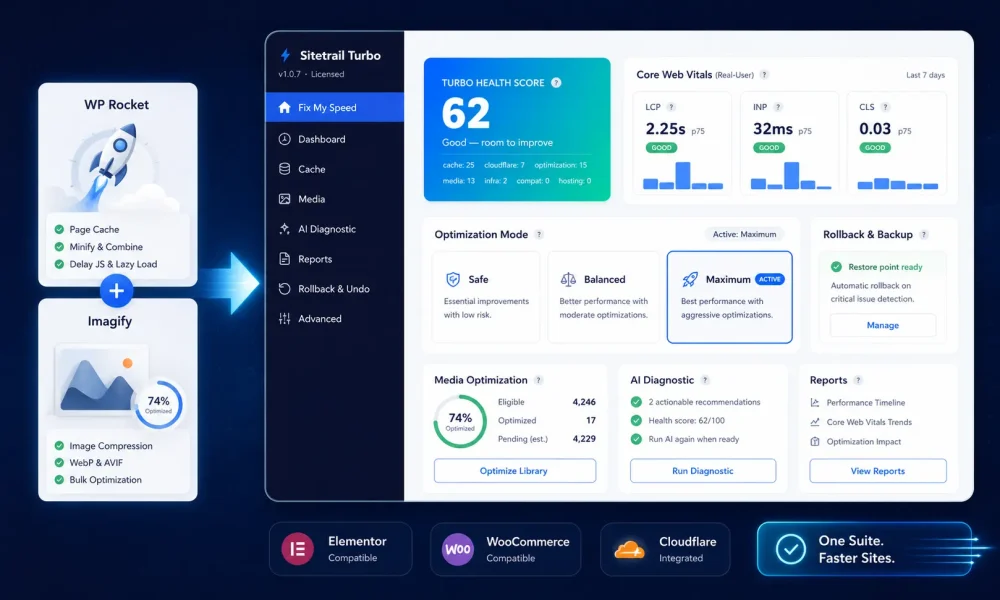
WordPress site owners searching for a WP Rocket and Imagify alternative are usually not looking for another random speed plugin.
They are looking for a cleaner way to solve a messy performance stack.
They want fast page caching.
They want Elementor pages to stop dragging under the weight of unused CSS, page-builder assets, oversized images, scripts, sliders, fonts, tracking tags, popups, and third-party widgets.
They want WooCommerce stores to stay fast without breaking carts, checkout pages, payment buttons, product variations, account pages, or customer-specific content.
They want Cloudflare to work with WordPress caching instead of becoming another layer of cache confusion.
They want WebP and AVIF image delivery without managing yet another image optimization subscription.
They want better Core Web Vitals.
They want proof that real visitors experienced a faster site, not just a better one-off lab score.
They want a safer way to apply aggressive optimization settings without destroying a homepage layout, breaking checkout, or creating a client emergency.
They want reporting that can be shown to clients, managers, and stakeholders.
And increasingly, they want to understand where the optimization work happens.
Does it happen locally on the WordPress server?
Does image compression depend on a cloud service?
Does performance monitoring require another SaaS account?
Does the stack become more expensive every time another missing piece is added?
That is why the comparison between WP Rocket, Imagify, and Sitetrail Turbo is more interesting than a simple cache-plugin debate.
WP Rocket is one of the best-known WordPress performance plugins. Imagify is one of the best-known image optimization tools. Together, they are a familiar combination for site owners who want caching, asset optimization, image compression, and next-generation image formats.
That pairing makes sense.
WP Rocket helps optimize how assets load. Imagify helps optimize what images weigh.
But many WordPress operators now want a more consolidated performance stack.
They do not only need caching.
They need image conversion, CSS optimization, JavaScript control, real-user Core Web Vitals, restore points, rollback safety, Cloudflare coordination, WooCommerce awareness, Elementor safeguards, and agency reporting.
That is where Sitetrail Turbo enters the conversation.
Sitetrail Turbo is a WordPress performance suite designed for site owners who want the benefits of a WP Rocket and Imagify-style stack, but in a single, server-local plugin with built-in safety, observability, and reporting.
It is not presented here as a universal replacement for every site.
It is not a claim that WP Rocket is obsolete.
It is not a claim that Imagify has no value.
The better question is this:
Which performance architecture fits Elementor, WooCommerce, and Cloudflare websites best?
For many modern WordPress sites, that answer may be Sitetrail Turbo – which you can obtain right here.
The Short Answer
Sitetrail Turbo is a credible alternative to using WP Rocket and Imagify together, especially for Elementor, WooCommerce, and Cloudflare-heavy websites.
If you want the most established premium WordPress caching brand, WP Rocket remains a strong option.
If you specifically want cloud image compression and external image processing, Imagify remains useful.
If your site runs on a LiteSpeed server and you want server-level cache integration, LiteSpeed Cache may be a logical starting point.
If you want an external automated optimization service, a cloud-based platform such as NitroPack may appeal.
If you want lightweight script management and granular asset controls, Perfmatters may still belong in the conversation.
But if you want one plugin that brings together page caching, CSS optimization, JavaScript optimization, WebP and AVIF generation, bulk image optimization, lazy loading, LCP image handling, local real-user Core Web Vitals, restore points, break detection, Cloudflare coordination, stack-aware presets, and agency reports, Sitetrail Turbo deserves serious attention.
The difference is not only the feature list.
The difference is the operating model.
WP Rocket and Imagify are commonly used as a two-product performance stack.
Sitetrail Turbo is designed as a single WordPress performance suite.
That matters when the site is not a simple blog.
It matters when the site uses Elementor.
It matters when the site runs WooCommerce.
It matters when Cloudflare is part of the delivery path.
It matters when an agency needs to prove results to a client.
It matters when the owner wants fewer subscriptions, fewer dashboards, fewer moving parts, and more visibility into what changed.
Why Elementor, WooCommerce and Cloudflare Sites Are Harder to Optimize
A simple WordPress blog and a commercial Elementor WooCommerce site are not the same performance problem.
A basic site may need page cache, image compression, browser caching, lazy loading, and some CSS or JavaScript cleanup.
A modern WordPress business site often needs far more careful handling.
An Elementor site may load assets from:
Elementor core
Elementor Pro
The active theme
Global styles
Widget libraries
Icon libraries
Animations
Forms
Popups
Sliders
Templates
Header builders
Footer builders
Third-party Elementor add-ons
Custom fonts
Background images
Mobile-specific sections
A WooCommerce store adds another layer:
Product galleries
Variation scripts
Cart fragments
Checkout scripts
Payment gateways
Account pages
Customer-specific content
Product filters
Review widgets
Related products
Upsells
Cross-sells
Coupon logic
Shipping rules
Tax logic
Subscription plugins
Wishlist plugins
Dynamic pricing tools
Then Cloudflare adds another delivery layer:
DNS
CDN caching
Edge cache behavior
Brotli
HTTP/3
Firewall rules
Development mode
Purge behavior
Browser cache settings
Possible APO or HTML caching setups
This is why serious WordPress performance work cannot be reduced to one question:
Can a plugin cache pages?
That is only the beginning.
The better questions are:
Can the plugin optimize CSS without breaking Elementor layouts?
Can it delay JavaScript without breaking checkout?
Can it generate and serve WebP or AVIF images?
Can it identify above-the-fold image behavior?
Can it coordinate with Cloudflare?
Can it respect WooCommerce pages that should not be cached like static content?
Can it show whether real visitors experienced better Core Web Vitals?
Can it roll back if a setting causes obvious breakage?
Can it produce reports an agency can actually use?
Sitetrail Turbo is built around that wider operating reality.
WP Rocket + Imagify vs Sitetrail Turbo: Core Comparison
| Area | WP Rocket + Imagify | Sitetrail Turbo |
|---|---|---|
| Page caching | WP Rocket handles page cache, preload, and common cache rules | Built-in page cache, preload, and managed-host purge mode |
| CSS optimization | WP Rocket handles minification, delivery optimization, and Remove Unused CSS | CSS minify/combine, Remove Unused CSS, Critical CSS, async CSS, and runtime clash handling |
| JavaScript optimization | WP Rocket supports defer and delay JavaScript execution | JS minify, defer, delay, safer third-party delay mode, and exclusion handling |
| Image optimization | Usually handled through Imagify or another image tool | Built-in local WebP/AVIF generation, bulk optimization, on-upload conversion, and URL rewriting |
| Real-user Core Web Vitals | Often handled through separate monitoring or testing workflows | Built-in local LCP, INP, and CLS collection with real-user visibility |
| Before/after impact tracking | Usually handled manually or through separate tools | Performance impact timeline connects changes to outcomes |
| Rollback safety | Mostly manual reversal and manual testing | Restore points, break detection, auto-rollback, and change log |
| Cloudflare workflow | Cloudflare remains a separate operational layer | Cloudflare verification, audit, and purge coordination built into the workflow |
| Agency reporting | Usually requires screenshots or external reports | HTML/PDF reports, scheduled reports, and multisite visibility |
| Product model | Commonly a two-product stack when paired with Imagify | One-plugin performance suite |
The important point is not that every row automatically makes Sitetrail Turbo better for every website.
The important point is that Turbo approaches WordPress performance as a combined workflow.
Caching, images, assets, vitals, rollback, Cloudflare, and reporting are treated as parts of one system.
The Real WordPress Performance Problem: Too Many Tools, Not Enough Proof
Many WordPress owners try to improve speed by stacking tools.
One plugin handles cache.
Another handles images.
Another handles asset unloading.
Another handles WebP.
Another handles database cleanup.
Another handles monitoring.
Another handles Cloudflare purging.
Another handles reporting.
Each tool may be useful by itself.
But together, the stack can become hard to reason about.
When something breaks, the site owner has to ask:
Which plugin delayed the wrong script?
Which plugin removed the CSS?
Which plugin rewrote the image URL?
Which plugin cached the wrong page?
Which cache layer needs to be purged?
Which setting improved the lab score but hurt real users?
Which tool is responsible for the current version of this page?
This matters because WordPress performance is not only a technical issue.
It is an operational issue.
Agencies need confidence before applying settings.
WooCommerce stores need checkout safety.
Elementor sites need layout protection.
Cloudflare users need purge clarity.
Clients need proof.
Site owners need fewer places to check when something goes wrong.
Sitetrail Turbo’s strongest value is not simply that it has page cache.
Many plugins have page cache.
Its stronger value is that it combines optimization, measurement, safety, and reporting inside the same plugin.
That is the part many performance stacks still fail to solve elegantly.
What a Serious WP Rocket and Imagify Alternative Needs to Do
A real alternative to the WP Rocket and Imagify pairing needs to cover more than basic caching.
It needs to address the full performance workflow.
| Requirement | Why It Matters |
|---|---|
| Page caching | Reduces repeated WordPress processing and improves delivery speed |
| Cache preload | Helps important pages become fast before real visitors arrive |
| CSS optimization | Elementor, themes, and plugins often load more CSS than each page needs |
| Remove Unused CSS | Can reduce render-blocking CSS and improve visible loading speed |
| JavaScript defer and delay | Helps reduce main-thread work and improve responsiveness |
| Safe exclusions | Prevents checkout, menus, forms, payment scripts, and cart logic from breaking |
| Image compression and conversion | Large images often dominate page weight |
| WebP and AVIF generation | Next-generation formats can reduce bytes while preserving quality |
| URL rewriting | The browser must actually receive the optimized image version |
| Lazy loading | Offscreen images should not compete with above-the-fold content |
| LCP image handling | The largest above-the-fold image often needs special treatment |
| WooCommerce awareness | Cart, checkout, account, and payment flows require protection |
| Elementor awareness | Page-builder layouts can break under aggressive CSS or JS optimization |
| Cloudflare coordination | WordPress cache and edge cache behavior must stay predictable |
| Real-user vitals | Lab scores are useful, but visitors decide the business outcome |
| Before/after tracking | Site owners need to know whether a setting actually helped |
| Restore points | Aggressive optimization should be reversible |
| Break detection | The system should catch obvious failures quickly |
| Reports | Agencies need client-ready proof |
| Local processing | Privacy-conscious businesses care where optimization and analytics happen |
A plugin can be useful without doing all of this.
But a complete WP Rocket and Imagify alternative needs to handle enough of this workflow to reduce the need for a multi-plugin performance stack.
That is where Sitetrail Turbo makes its case.
Image Optimization: The Biggest Difference From WP Rocket Alone
Images remain one of the biggest performance problems on WordPress websites.
This is especially true for Elementor and WooCommerce.
Elementor landing pages often use large hero images, background images, icon sections, testimonials, logos, feature blocks, and duplicated mobile layouts.
WooCommerce stores add product galleries, thumbnails, category images, variation images, promotional banners, related products, upsells, and cross-sells.
A cache plugin can make HTML delivery faster.
But if the visitor still downloads oversized JPEGs and PNGs, the page remains heavy.
That is why WP Rocket is often paired with Imagify.
WP Rocket helps optimize page delivery.
Imagify helps reduce image weight and generate next-generation image formats.
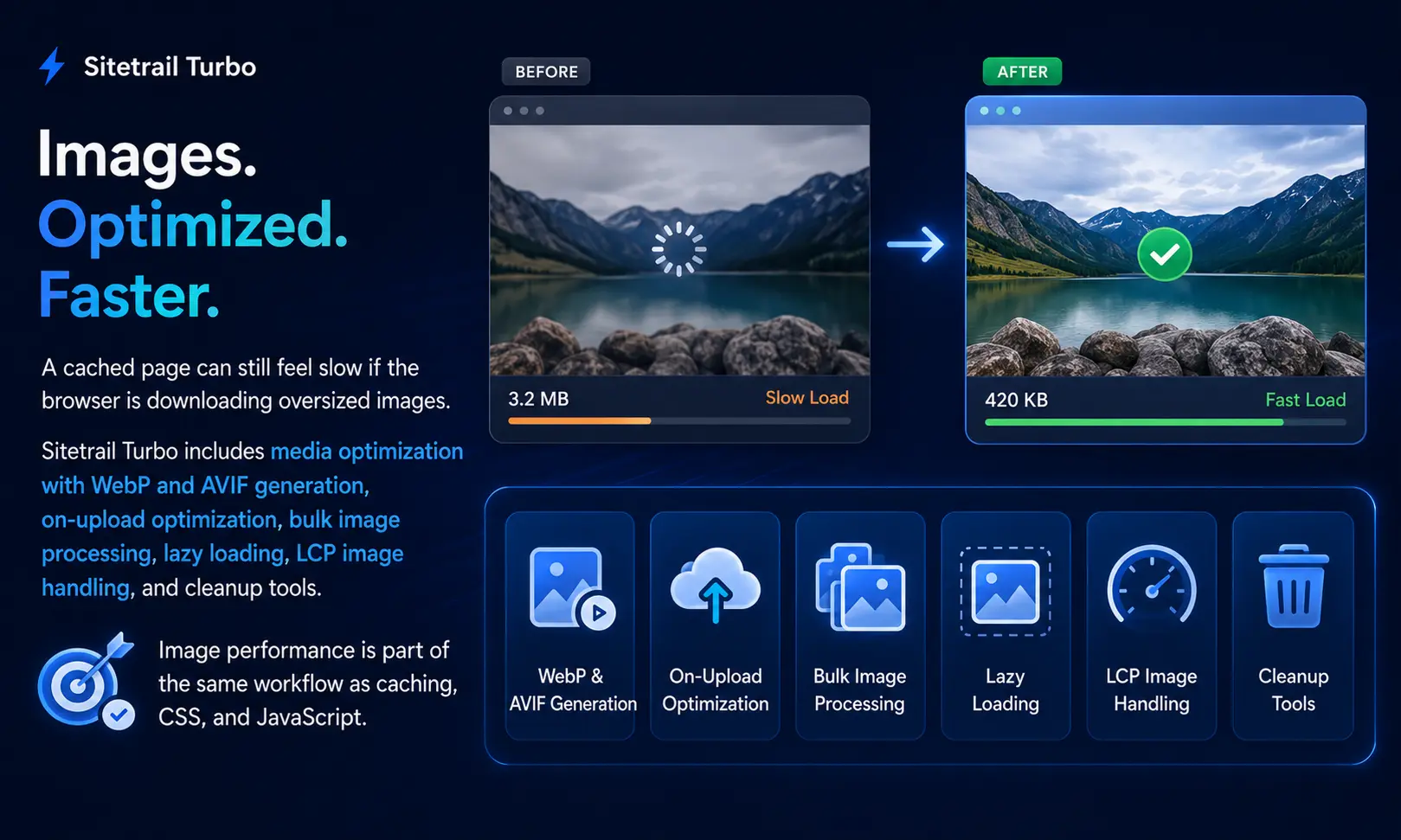
Sitetrail Turbo’s difference is that image optimization is included inside the broader performance plugin.
Turbo is designed to handle:
WebP generation
AVIF generation
Sidecar image files
Bulk media optimization
On-upload conversion
Next-gen image URL rewriting
Lazy loading
LCP image handling
Heavy image scanning
Original image retention
This is especially useful for agencies and site owners who do not want a separate image optimization subscription or a separate image workflow.
The practical question is not only:
Is the page cached?
The practical question is:
What image file is the browser downloading?
If the answer is still an oversized original image, the performance stack is incomplete.
Turbo aims to make image conversion and delivery part of the same system that handles the rest of the site’s performance work.
That does not mean Imagify has no place.
Cloud image processing can be useful, especially for very large media libraries or hosting environments where local CPU resources are limited.
But for many Elementor and WooCommerce sites, built-in local WebP and AVIF generation is a cleaner model.
CSS Optimization: Elementor Needs More Than Minification
CSS minification is useful, but it is not enough.
A modern Elementor page may load CSS from the theme, Elementor, Elementor Pro, add-ons, widgets, global kits, WooCommerce, forms, popups, icon libraries, sliders, and third-party plugins.
Minifying that CSS may reduce file size.
But the larger issue is that the page may not need all of it.
That is why Remove Unused CSS matters.
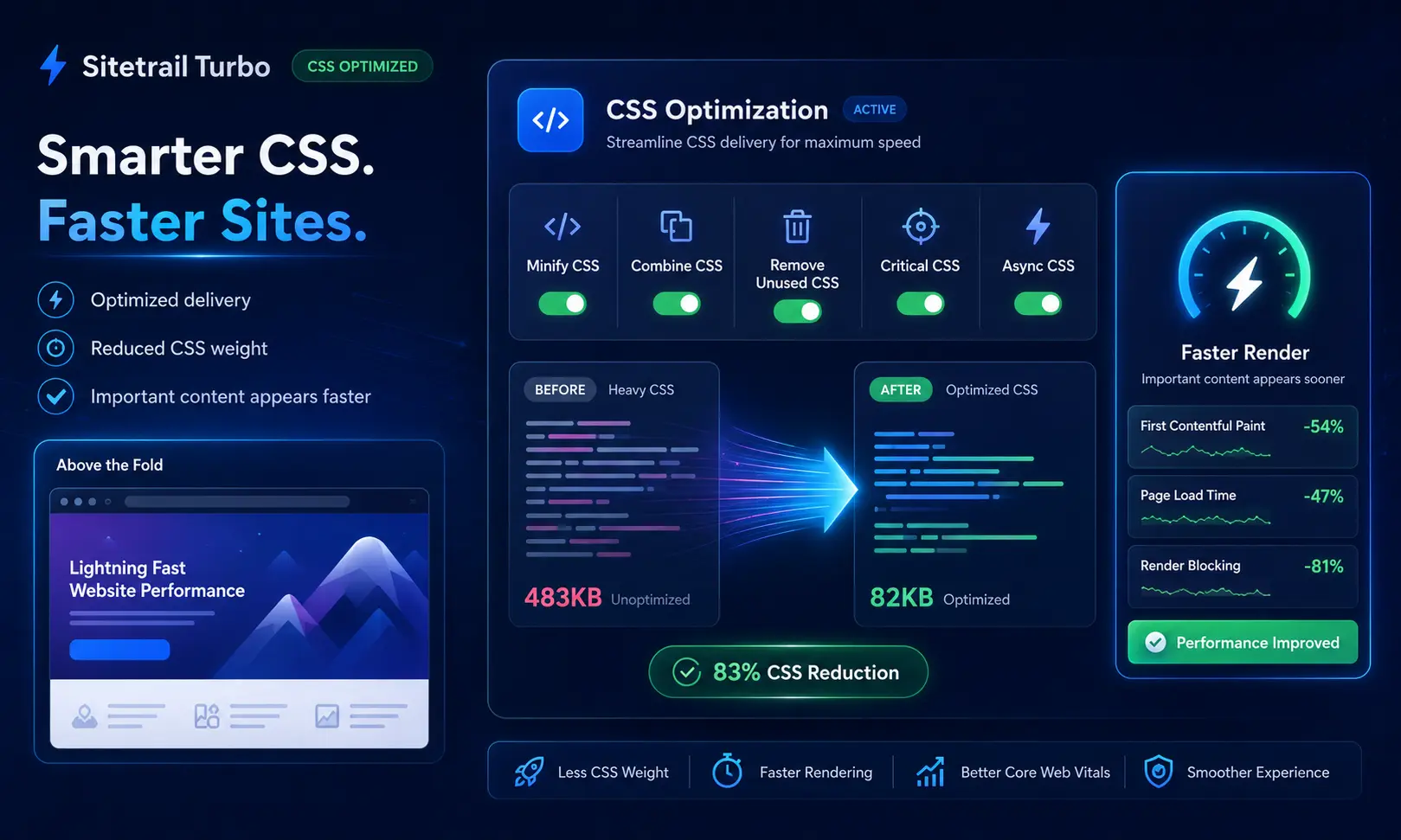
Sitetrail Turbo includes local Remove Unused CSS with inline delivery. The goal is to keep the CSS required for the current page while reducing render-blocking stylesheet overhead.
This can help with metrics such as First Contentful Paint and Largest Contentful Paint because browsers can render important content sooner when they are not waiting on large unused stylesheets.
Elementor sites need this carefully.
Remove too much CSS and the layout can break.
Fail to remove enough and the page remains bloated.
Turbo’s CSS system includes practical safeguards such as exclusions, safelists, Elementor-aware handling, and runtime transparency around settings that may conflict with one another.
That last point is important.
Performance plugins often expose many settings, but users may not understand which settings are actually active together.
For example, Critical CSS, Remove Unused CSS, and async CSS can overlap in confusing ways.
A useful plugin should not only save settings.
It should help the operator understand what is actually running.
That is important on production sites where guessing is expensive.
JavaScript Optimization: Delay Carefully or Break the Business
JavaScript optimization can improve performance, but it can also break important functionality.
This is especially true on WooCommerce sites.
Delay the wrong script and you may break:
Menus
Forms
Cart updates
Checkout validation
Payment buttons
Product variations
Product filters
Consent banners
Analytics
Review widgets
Live chat
Popups
Login flows
A PageSpeed report may improve while the business gets worse.
That is not optimization.
That is damage.
Sitetrail Turbo includes JavaScript minification, defer, and delay. The stronger practical value is the safer rollout model.
Its Balanced approach is designed around delaying external third-party scripts while protecting first-party behavior more carefully.
That matters because third-party scripts often carry heavy performance costs:
Analytics
Ad pixels
Retargeting tags
Embedded videos
Review widgets
Heatmaps
CRM scripts
Marketing automation
Chat widgets
Social embeds
These scripts can often wait until interaction or a fallback timer.
But first-party scripts connected to navigation, products, checkout, and theme behavior require more caution.
The best WooCommerce optimization is not the most aggressive JavaScript delay setting.
It is the most aggressive setting the store can safely run without breaking the buying journey.
Real-User Core Web Vitals: Lab Scores Are Not Enough
PageSpeed Insights is useful.
Lighthouse is useful.
Synthetic testing is useful.
But lab tests are not the full picture.
A lab test measures a controlled environment.
Real visitors use different devices, networks, browsers, locations, and cache states.
A page may test well once and still feel slow for many users.
This is why real-user monitoring matters.
Sitetrail Turbo includes local real-user monitoring for Core Web Vitals such as:
LCP, or Largest Contentful Paint
INP, or Interaction to Next Paint
CLS, or Cumulative Layout Shift
The practical value is not simply that these numbers appear in a dashboard.
The practical value is that site owners can see whether actual visitors experienced improvement after optimization changes.
For example:
Did LCP improve after image conversion?
Did INP improve after third-party scripts were delayed?
Did CLS get worse after font or image changes?
Did product pages improve, or only the homepage?
Did mobile visitors benefit?
Did the improvement last beyond one test?
That kind of feedback is important for agencies and serious site owners.
A single PageSpeed screenshot can be useful.
Real-user before-and-after visibility is stronger.
Restore Points and Break Detection: Performance Needs a Safety Net
Every experienced WordPress operator knows the problem.
The fastest setting is not always the safest setting.
Remove too much CSS and the design breaks.
Delay too much JavaScript and the checkout fails.
Cache too aggressively and logged-in or cart behavior becomes unreliable.
Rewrite image URLs incorrectly and media disappears.
Combine files badly and a theme feature stops working.
That is why many agencies are cautious with performance optimization.
They know the site could be faster, but they also know a broken site damages trust.
Sitetrail Turbo includes restore points, break detection, auto-rollback, and a change log.
These features do not remove the need for proper testing.
No automated system can detect every possible visual or commercial issue.
But they do create a safer operating model.
Before applying stronger settings, the plugin can create a restore point.
If an obvious problem appears, the system has a path to reverse the change.
For agencies, this is a major advantage.
A client does not care that a setting improved a lab metric if the homepage is broken.
A client wants a faster site that still works.
Rollback safety makes more ambitious optimization practical.
Stack-Aware Presets: Safe, Balanced and Maximum
Many performance plugins give users a long list of settings.
That can be powerful, but it can also be confusing.
A non-technical user may not know which combination is safe.
A technical user may know, but still needs to repeat the logic across many sites.
Sitetrail Turbo’s preset model gives users a clearer path.
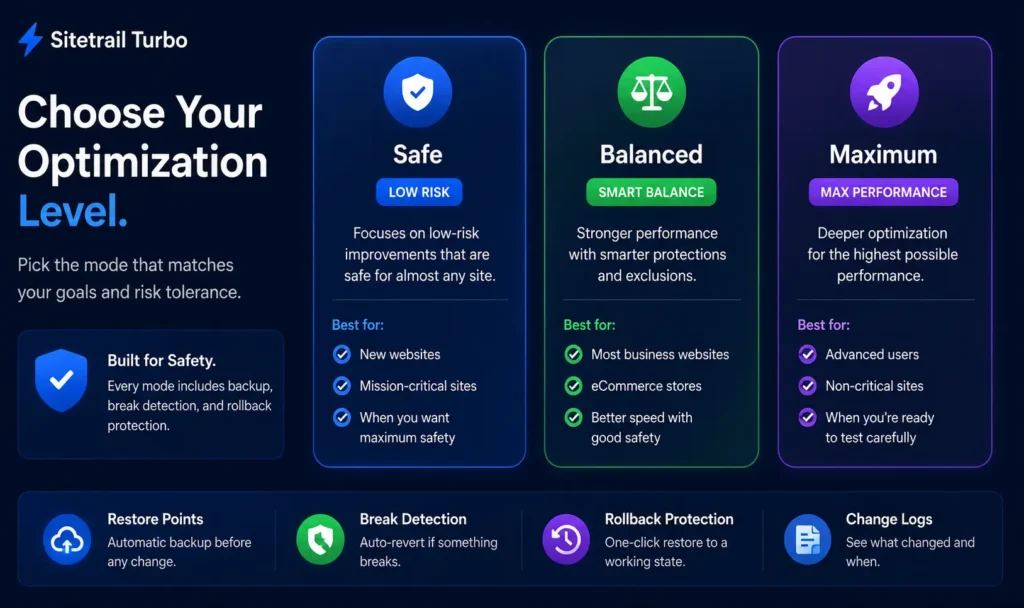
Safe mode is for cautious optimization.
Balanced mode is for practical production improvements.
Maximum mode is for stronger optimization where more testing is expected.
Then stack overlays help adjust the behavior for environments such as:
Elementor
WooCommerce
Cloudflare
LiteSpeed
Managed hosting
Purge-mode cache setups
This matters because the same setting is not equally safe on every site.
A simple blog, an Elementor landing page, and a WooCommerce store should not be treated identically.
A plugin that understands the stack can make better default choices.
That is useful for agencies managing different client environments.
It is also useful for business owners who do not want to become performance engineers just to make a WordPress site faster.
Cloudflare: Performance Plugins Need Edge Awareness
Cloudflare is now part of the normal WordPress performance conversation.
Many sites use it for DNS, CDN, security, caching, compression, HTTP/3, and edge delivery.
That can help performance.
It can also complicate debugging.
A site owner may clear the WordPress cache but still see an old version from Cloudflare.
A developer may enable development mode and forget to disable it.
An edge cache may hold a file after the WordPress cache has been purged.
A browser cache may add another layer of confusion.
A WooCommerce page may need different treatment from a static page.
Sitetrail Turbo includes Cloudflare verification, audit, and purge coordination.
This matters because Cloudflare is not separate from the user experience.
For many websites, Cloudflare is part of how the site is delivered.
A WordPress performance plugin should help coordinate the WordPress layer with the edge layer.
Turbo does not need to become a CDN product to be useful here.
The value is workflow.
If a site already uses Cloudflare, the performance plugin should reduce confusion rather than add to it.
WooCommerce Safety: Fast Checkout Is the Goal
WooCommerce performance is not only about making product pages faster.
It is about making the store faster without damaging the buying process.
A WooCommerce store contains pages and behaviors that need special care:
Cart
Checkout
My Account
Payment gateways
Customer sessions
Coupons
Shipping calculations
Tax calculations
Stock behavior
Product variations
Subscription renewals
Logged-in content
Static caching and aggressive optimization can be dangerous if applied blindly.
Turbo’s WooCommerce-aware model matters because the store has two different needs at the same time.
Product pages, category pages, and landing pages need speed.
Cart, checkout, account, and payment areas need correctness.
A serious performance plugin should understand the difference.
The goal is not the fastest possible broken store.
The goal is a faster store that continues to sell.
Elementor Safety: Page Builders Need Special Handling
Elementor is one of the main reasons WordPress users search for speed help.
It is flexible and popular, but it can produce heavy pages.
That does not mean Elementor sites cannot be optimized.
It means they need the right kind of optimization.
A performance plugin working on an Elementor site should be cautious with:
Unused CSS
Global styles
Responsive sections
Widget scripts
Popup behavior
Motion effects
Icon libraries
Font loading
Third-party add-ons
Template parts
Header and footer builders
Turbo’s Elementor-aware presets and safeguards are useful because Elementor performance is not just a cache problem.
The real question is:
How do you speed up Elementor without breaking the design?
A generic performance plugin may expose the right toggles.
A stack-aware performance suite helps the operator apply them more safely.
Local Processing and Privacy: Why Server-Local Matters
Performance architecture also affects privacy and control.
Sitetrail Turbo is designed around a server-local optimization path.
That means caching, CSS and JavaScript optimization, image generation, and vitals aggregation can happen on the customer’s WordPress server.
This matters for:
Privacy-conscious businesses
EU and UK deployments
Agencies with stricter client requirements
Companies that prefer fewer external services
Site owners who want simpler data-residency explanations
Operators who want less dependence on external processing
This does not make a website automatically compliant with privacy laws.
Compliance depends on many factors, including hosting, security, disclosures, consent where required, retention policies, analytics choices, and the site owner’s legal obligations.
But a local-first performance architecture can make the data story cleaner.
The site owner does not need a separate cloud image optimization pipeline for the normal image workflow.
The site owner does not need a separate external real-user monitoring service for basic vitals visibility.
For some businesses, that simplicity matters.
Agency Reporting: Turning Speed Work Into a Deliverable
Agencies do not only need to optimize websites.
They need to explain the work.
They need to show what changed.
They need to prove value.
They need reports that a client can understand.
Many performance plugins are built around settings.
Sitetrail Turbo adds reports.
That matters because a client may not care about the exact details of CSS delivery, JavaScript delay, image sidecars, cache rules, and Cloudflare purge behavior.
The client wants to know:
Is the site faster?
What work was done?
What improved?
What remains heavy?
Did real users benefit?
Was the work safe?
Can the result be shown clearly?
Turbo’s HTML and PDF reporting features make performance work easier to package as a client deliverable.
That is commercially important for agencies.
Performance should not remain invisible maintenance.
It should become measurable work that can be reviewed, explained, and improved.
Where Sitetrail Turbo Has Its Strongest Advantage
| Advantage | Why It Matters |
|---|---|
| Built-in WebP and AVIF generation | Many sites do not need a separate Imagify-style conversion workflow |
| Local image optimization | Image processing can happen on the customer’s server |
| One plugin instead of two | Caching, assets, images, vitals, safety, Cloudflare workflow, and reports sit in one system |
| Real-user vitals inside WordPress | Operators can see whether actual visitors experienced better LCP, INP, and CLS |
| Restore points before major changes | Aggressive optimization becomes less risky on production sites |
| Break detection and rollback | Obvious failures can be detected and reversed faster |
| Stack-aware presets | Elementor, WooCommerce, Cloudflare, LiteSpeed, and managed-host environments can be treated differently |
| Agency reports | Performance work becomes easier to explain and prove |
| Local-first architecture | Privacy-conscious businesses get a cleaner optimization and measurement story |
These advantages are strongest when the site owner values consolidation, safety, measurement, and local control.
They are less important when a site owner only wants a basic cache plugin and already has the rest of the stack handled elsewhere.
Honest Comparison: Where WP Rocket Still Wins
WP Rocket remains a serious product.
It has major advantages:
Market maturity
Large installed base
Strong brand recognition
Extensive documentation
Broad compatibility history
Familiar workflow
Established support ecosystem
Years of edge-case learning
Strong cache and asset optimization features
That matters.
A performance plugin used across many sites learns where WordPress breaks.
It learns which scripts are risky.
It learns which themes behave strangely.
It learns what support questions users ask repeatedly.
For some site owners, that maturity is the deciding factor.
If a website already runs well on WP Rocket, already has Imagify configured, already has working exclusions, and already has a monitoring workflow, there may be no urgent need to switch.
The case for Sitetrail Turbo is not that WP Rocket is bad.
The case is that some site owners want a broader, more consolidated performance suite with local images, vitals, rollback, Cloudflare coordination, and reports built in.
Honest Comparison: Where Imagify Still Wins
Imagify also has a legitimate role.
Its main advantage is dedicated cloud image optimization.
That can be useful for very large media libraries, especially when local server resources are limited.
Bulk image processing can consume CPU.
On weak shared hosting, cloud image offload may be attractive.
Imagify also benefits from being a focused image optimization product with an established user base.
So the fair comparison is this:
Sitetrail Turbo is stronger when the user wants image conversion included inside a local WordPress performance suite.
Imagify may be stronger when the user specifically wants a dedicated cloud image optimization service.
Both models make sense.
The right choice depends on the site, hosting environment, media library size, and operating preference.
Which Performance Stack Fits Which Type of Site?
| Site Type | Better Fit | Reason |
|---|---|---|
| Simple blog already running well on WP Rocket | WP Rocket may be enough | The site may not need extra image, reporting, rollback, or RUM features |
| Elementor marketing site with heavy images | Sitetrail Turbo | Combines CSS/JS optimization, image conversion, LCP handling, and safer rollout modes |
| WooCommerce store with checkout risk | Sitetrail Turbo | WooCommerce-aware optimization and rollback safety matter more than raw toggles |
| Large image library on weak shared hosting | Imagify may still help | Cloud image processing can reduce local CPU pressure |
| Agency managing many client sites | Sitetrail Turbo | Reports, restore points, stack presets, and vitals proof become operational advantages |
| LiteSpeed-hosted site using server cache well | LiteSpeed Cache may be logical | Server-level integration can be powerful on the right host |
| Cloudflare-heavy WordPress site | Sitetrail Turbo | Built-in Cloudflare audit and purge coordination reduce debugging friction |
| User wanting fully cloud-managed optimization | NitroPack-style platform may appeal | Some users prefer external automation over local control |
This is the practical way to compare performance tools.
The best choice is not always the most famous plugin.
The best choice is the one that fits the site’s architecture.
When Sitetrail Turbo May Be the Better Fit
Sitetrail Turbo is especially attractive for:
Agencies managing Elementor sites
WooCommerce stores with performance issues
Sites using Cloudflare
Privacy-conscious WordPress owners
Businesses that want local image optimization
Teams tired of multiple speed plugins
Site owners who want WebP and AVIF without a separate image subscription
Agencies that need PDF or HTML reports
Operators who want real-user vitals inside WordPress
Businesses that want before/after performance tracking
Users who want restore points before aggressive optimization
Developers who want safer rollout modes
Managed-host users who need purge coordination
LiteSpeed users who want compatible workflows
Multisite operators who need rollups
Sites where client trust depends on rollback safety
The ideal Turbo user is not necessarily the person chasing the highest one-time lab score.
The ideal user is asking:
Can I make this site faster, prove the result, avoid breaking important pages, and reduce the number of tools involved?
That is the environment where Turbo makes the most sense.
When WP Rocket and Imagify May Still Be the Better Fit
WP Rocket plus Imagify may still be the better fit when:
The site already performs well with that stack
The operator trusts WP Rocket’s maturity
The agency has standardized around WP Rocket
The site needs cloud image processing at scale
The user wants the most established premium caching brand
The site already has working exclusions and workflows
The business does not need local RUM or agency reports
The operator wants to avoid local CPU use for image batches
The team prefers separate best-of-breed tools over one suite
That is a valid decision.
A good comparison should not pretend every site has the same needs.
A simple site, a WooCommerce store, a publisher, an agency portfolio, and a SaaS landing page may all require different performance strategies.
How to Evaluate Any WP Rocket and Imagify Alternative
Before choosing a performance plugin, ask direct questions.
Caching
Does it create a filesystem HTML cache?
Does it preload important pages?
Does it support mobile variants where needed?
Does it handle logged-in users, cookies, and dynamic content carefully?
Does it avoid caching cart, checkout, and account pages incorrectly?
Does it work with host-level caching?
Can it operate in purge mode when another cache layer is primary?
CSS
Does it minify CSS?
Does it combine CSS when appropriate?
Does it remove unused CSS?
Does it inline used CSS?
Does it provide safelists?
Does it protect Elementor layouts?
Does it explain when one CSS mode suppresses another?
Does it provide a way to test aggressive CSS optimization carefully?
JavaScript
Does it minify JavaScript?
Does it defer JavaScript?
Does it delay JavaScript until interaction?
Does it protect first-party scripts?
Does it include exclusion controls?
Does it avoid breaking WooCommerce checkout?
Does it give the operator control over third-party scripts?
Images
Does it create WebP?
Does it create AVIF?
Does it optimize images on upload?
Does it bulk-optimize existing media?
Does it rewrite image URLs?
Does it handle srcset?
Does it handle CSS background images?
Does it lazy-load safely?
Does it treat the LCP image correctly?
Does it retain originals?
Does it explain CPU and disk tradeoffs?
Core Web Vitals
Does it track LCP?
Does it track INP?
Does it track CLS?
Does it use real-user data?
Does it show trends?
Does it connect setting changes to performance outcomes?
Does it help explain whether a change actually worked?
Safety
Does it create restore points?
Does it detect obvious breakage?
Does it roll back automatically?
Does it keep a change log?
Does it reveal the difference between saved settings and active runtime behavior?
Can an agency safely apply stronger settings?
Cloudflare
Can it verify Cloudflare status?
Can it purge Cloudflare when needed?
Can it audit key Cloudflare settings?
Can it coordinate edge and WordPress cache behavior?
Can it reduce debugging confusion?
Reporting
Can it generate client-ready reports?
Can it email reports?
Can it support multisite views?
Can it turn speed work into a visible deliverable?
These questions matter more than plugin popularity.
A performance stack should fit the real website.
Practical Setup Strategy for Sitetrail Turbo
A strong Turbo rollout should be staged.
Do not begin with the most aggressive settings on a complex WooCommerce site.
Start with the safest improvements first.
Step 1: Establish the Baseline
Before changing settings, record the current state.
Check:
Homepage performance
Important landing pages
Product pages
Category pages
Cart page
Checkout page
Mobile performance
Desktop performance
Current LCP, INP, and CLS
Image weight
Cache behavior
Cloudflare status
The goal is not only to get a score.
The goal is to understand what changes later.
Step 2: Enable Safe Caching
Start with page cache and preload where appropriate.
Confirm that the site behaves correctly.
Check logged-out pages.
Check WooCommerce exclusions.
Check cart and checkout behavior.
Check Cloudflare purge behavior if Cloudflare is active.
Step 3: Optimize Images
Enable WebP or AVIF generation according to the site’s needs.
Run image optimization in paced batches.
Check the front end.
Confirm that product images, hero images, background images, and mobile images display correctly.
Confirm that optimized formats are being served.
Step 4: Improve CSS Delivery
Move to CSS minification and Remove Unused CSS carefully.
For Elementor sites, inspect key templates.
Check:
Homepage
Mobile menu
Product pages
Landing pages
Footer
Header
Popups
Forms
WooCommerce templates
Use safelists and exclusions where needed.
Step 5: Apply JavaScript Delay Carefully
Begin with safer delay settings.
Prioritize third-party scripts.
Test:
Navigation
Forms
Checkout
Cart updates
Payment buttons
Product variation selectors
Analytics
Consent tools
Chat widgets
Popups
Do not chase a lab score at the expense of revenue functionality.
Step 6: Use Real-User Vitals to Confirm Impact
After changes, watch real-user Core Web Vitals.
Look at LCP, INP, and CLS.
Compare before and after.
Check whether improvements appear across the pages that matter.
Do not assume that one synthetic test tells the full story.
Step 7: Generate Reports
For agencies, create a report after the initial optimization phase.
Show:
What was enabled
What improved
What still needs work
Which pages remain heavy
Which images were optimized
Which Core Web Vitals changed
Which risks were avoided through restore points and testing
This turns performance into a visible deliverable.
The Verdict: Is Sitetrail Turbo a Real WP Rocket and Imagify Alternative?
Yes, Sitetrail Turbo is a real alternative to the WP Rocket and Imagify pairing.
Not for every site.
Not because WP Rocket is weak.
Not because Imagify is unnecessary in every case.
But because the modern WordPress performance problem has changed.
Site owners no longer need only a cache plugin.
They need caching, CSS optimization, JavaScript control, image conversion, real-user Core Web Vitals, rollback safety, Cloudflare coordination, WooCommerce protection, Elementor awareness, and client-ready reporting.
Sitetrail Turbo is compelling because it brings those layers into one WordPress performance suite.
Its strongest case is consolidation with control.
One plugin instead of a cache plugin plus a separate image optimization workflow.
Local WebP and AVIF generation.
Built-in real-user vitals.
Restore points and break detection.
Cloudflare-aware workflows.
Agency reports.
Server-local processing.
For Elementor, WooCommerce, and Cloudflare websites, that combination is highly relevant.
The best performance tool is not always the one with the most famous name.
It is the one that fits the site’s real architecture.
For many modern WordPress sites, Sitetrail Turbo is exactly that kind of fit.
Frequently Asked Questions
What is the best WP Rocket and Imagify alternative?
The best alternative depends on the site. Sitetrail Turbo is a strong option for users who want caching, CSS optimization, JavaScript optimization, WebP and AVIF generation, local real-user Core Web Vitals, rollback safety, Cloudflare coordination, and agency reports in one WordPress plugin.
Is Sitetrail Turbo a replacement for WP Rocket?
For many sites, yes. Sitetrail Turbo includes page caching, preload, CSS optimization, JavaScript optimization, lazy loading, image handling, and stack-aware presets. WP Rocket remains a mature and trusted product, so the right choice depends on the site’s needs.
Is Sitetrail Turbo a replacement for Imagify?
For many agency and business sites, yes. Turbo includes local WebP and AVIF generation, bulk optimization, on-upload conversion, URL rewriting, lazy loading, and LCP image handling. Imagify may still be attractive when cloud image processing is preferred.
Does Sitetrail Turbo create WebP and AVIF images?
Yes. Sitetrail Turbo is designed to generate WebP and AVIF sidecar images locally, optimize uploads, bulk-process existing media, and rewrite URLs so visitors receive next-generation formats where appropriate.
Is Sitetrail Turbo good for Elementor?
Yes. Elementor is one of the strongest use cases for Turbo because Elementor sites often suffer from unused CSS, heavy scripts, fonts, large images, and complex page-builder output. Turbo includes stack-aware handling and safer optimization workflows.
Is Sitetrail Turbo good for WooCommerce?
Yes. WooCommerce performance requires care because cart, checkout, account, payment, and customer-specific pages must not be cached or optimized recklessly. Turbo is designed with WooCommerce-aware safety and rollout logic.
Does Sitetrail Turbo work with Cloudflare?
Yes. Turbo includes Cloudflare-oriented workflows such as verification, audit, and purge coordination. This is useful for sites where WordPress caching and Cloudflare edge behavior need to work together.
Does Sitetrail Turbo guarantee better PageSpeed scores than WP Rocket?
No. No honest plugin should guarantee that it will beat another plugin on every site. Performance depends on hosting, theme, page builder, plugins, images, scripts, fonts, third-party tags, cache layers, and configuration.
What makes Sitetrail Turbo different from WP Rocket?
The difference is not only caching. Turbo combines caching and asset optimization with built-in local image conversion, real-user Core Web Vitals, restore points, break detection, Cloudflare workflow tools, stack-aware presets, and agency reporting.
What makes Sitetrail Turbo different from Imagify?
Imagify is primarily an image optimization product. Turbo includes image optimization as part of a broader WordPress performance suite that also handles caching, CSS, JavaScript, vitals, rollback safety, reports, and Cloudflare coordination.
Does Sitetrail Turbo use cloud image optimization?
Turbo’s main image pipeline is server-local. That means WebP and AVIF generation can happen on the customer’s hosting environment instead of relying on a separate cloud image compression subscription for the normal workflow.
Is local image optimization always better?
No. Local image optimization gives more control and avoids a separate image-processing service, but it uses server CPU. Very large media libraries on weak hosting may benefit from paced processing or cloud offload.
Does Sitetrail Turbo include real-user Core Web Vitals?
Yes. Turbo includes local real-user monitoring for metrics such as LCP, INP, and CLS. The goal is to show what visitors actually experienced, not only what one synthetic test reported.
Why does real-user monitoring matter?
Lab tests are useful, but real users vary by device, browser, connection, location, and cache state. Real-user monitoring helps confirm whether optimization changes improved the actual visitor experience.
Does Sitetrail Turbo show before-and-after performance changes?
Yes. Turbo’s performance impact workflow is designed to connect setting changes with real-user performance outcomes. This is useful for agencies and operators who need proof that a change helped.
Does Sitetrail Turbo have rollback protection?
Yes. Turbo includes restore points, break detection, auto-rollback, and a change log. These features help reduce the risk of applying aggressive performance settings on production websites.
Can a break detector catch every issue?
No. Automated break detection can catch obvious problems, but it cannot replace proper human testing. Checkout, forms, menus, product filters, and key landing pages should still be tested manually after major optimization changes.
Is Sitetrail Turbo better than LiteSpeed Cache?
It depends on the server and the site. LiteSpeed Cache is powerful on LiteSpeed servers. Turbo may be more attractive when the user wants a broader performance suite with local image conversion, real-user vitals, rollback safety, Cloudflare workflows, and reporting across different hosting environments.
Is Sitetrail Turbo better than NitroPack?
It depends on the user’s preferred architecture. NitroPack appeals to users who want an external automated optimization service. Turbo is more attractive to users who prefer a server-local WordPress performance suite with more direct control.
Is Sitetrail Turbo better than Perfmatters?
Perfmatters is popular for lightweight performance controls and script management. Turbo is broader. It covers caching, CSS, JavaScript, images, vitals, safety, Cloudflare, and reports.
Does Sitetrail Turbo replace every performance plugin?
Not always. Some sites may still use server-level caching, Cloudflare, database tools, CDN services, or specialized asset controls. But Turbo is designed to reduce the need for multiple separate optimization plugins.
Is Sitetrail Turbo suitable for agencies?
Yes. Agencies are one of the strongest fits because Turbo includes safer rollout modes, restore points, break detection, reports, scheduled reporting, and multisite-friendly visibility.
Does Sitetrail Turbo help with LCP?
Yes. Turbo can help LCP through page caching, CSS optimization, image conversion, LCP image preload handling, lazy-load exclusions, and font display improvements. Actual results depend on the site.
Does Sitetrail Turbo help with INP?
Yes. Turbo can help INP through JavaScript defer and delay, especially by reducing the impact of third-party scripts. The safest approach is to delay carefully and test important interactions.
Does Sitetrail Turbo help with CLS?
Yes. Turbo can support CLS improvements through image handling, dimension-related safeguards, and font-display optimization. CLS should still be checked visually because layout shifts can come from many theme, ad, font, and script behaviors.
Should I switch from WP Rocket and Imagify to Sitetrail Turbo?
Consider switching if you want one plugin to handle caching, assets, images, vitals, rollback safety, Cloudflare coordination, and reports. If WP Rocket and Imagify already work well for your site and you do not need Turbo’s added workflow features, staying with your current stack may be reasonable.
Who should use Sitetrail Turbo?
Sitetrail Turbo is a strong fit for WordPress agencies, Elementor sites, WooCommerce stores, Cloudflare users, privacy-conscious businesses, and operators who want fewer performance tools with more measurement and safety built in.
Who should not use Sitetrail Turbo?
Turbo may not be the best fit for users who want a fully cloud-managed optimization platform, users who already have a stable WP Rocket and Imagify workflow they do not want to change, or sites with huge image libraries on weak hosting where cloud image offload is preferred.
What is the simplest way to describe Sitetrail Turbo?
Sitetrail Turbo is a WordPress performance suite designed to replace the common WP Rocket and Imagify pairing for many sites by combining caching, asset optimization, local WebP/AVIF image conversion, real-user Core Web Vitals, rollback safety, Cloudflare workflows, and agency reporting in one plugin.
Final Takeaway
The best WordPress performance plugin is not always the one with the longest feature list.
It is the one that fits the site’s real architecture.
For Elementor, WooCommerce, and Cloudflare websites, the performance challenge is not only speed.
It is speed plus safety.
Speed plus image optimization.
Speed plus proof.
Speed plus rollback.
Speed plus client reporting.
Speed plus local control.
That is where Sitetrail Turbo makes its strongest case.
It is not merely another cache plugin.
It is a credible WP Rocket and Imagify alternative for site owners who want to consolidate the modern WordPress performance stack into one server-local suite.