Expansive WordPress chatbot comparison
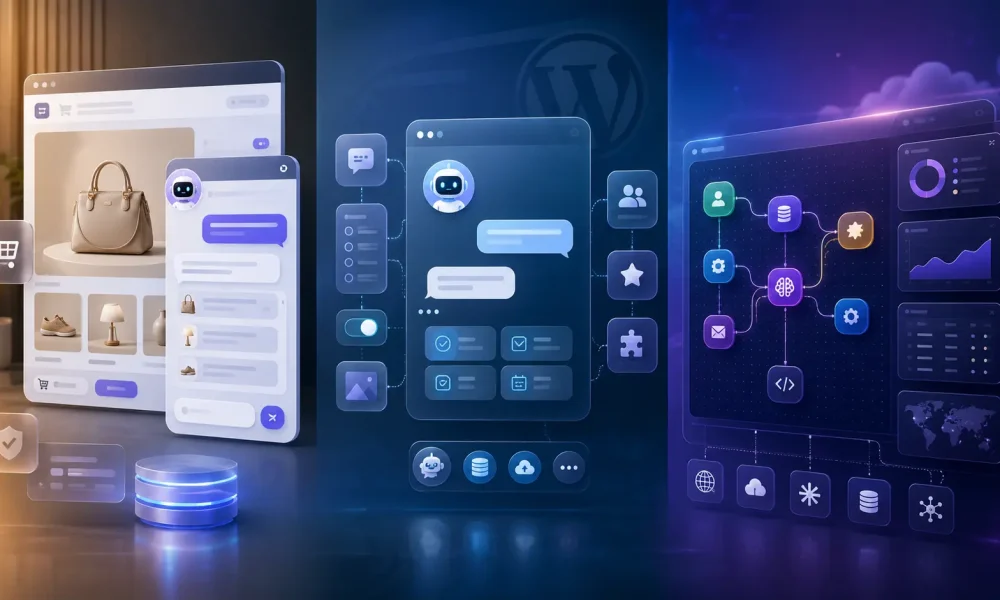
Three strong products with very different design philosophies: a grounded WordPress sales-and-support assistant, a mature modular WordPress chatbot, and a programmable cloud platform for sophisticated AI agents.
WPBot Pro and Botpress are both more direct competitors to AI Live Chat PRO than a conventional live-chat SaaS, but for opposite reasons. WPBot Pro is deeply rooted in WordPress and has accumulated a broad collection of forms, retargeting, ecommerce and live-agent modules. Botpress is not really a WordPress plugin at all: it is a cloud agent-development platform that can be embedded into WordPress and programmed to perform complex workflows across many systems.
Best for grounded WordPress sales and support
AI Live Chat PRO
The strongest fit when accuracy, local conversation storage, WooCommerce facts, packaged Lead Scoring and context-rich WhatsApp handover matter most.
Best modular traditional WordPress chatbot
WPBot Pro
A mature WordPress toolkit with conversational forms, behavioural retargeting, add-to-cart, live operators, social channels and lifetime licensing.
Best programmable agent platform
Botpress
The most extensible choice for complex workflows, integrations, structured data, custom code, formal governance and human-in-the-loop operations.
The most important differentiator in this comparison is Lead Scoring. AI Live Chat PRO automatically classifies eligible conversations as Hot buyer, Potential buyer, Existing customer or support, Vendor, Spam or Unclear, then attaches confidence and an evidence reason. It appears in history, support notifications, analytics and exports—and can determine whether the visitor receives the WhatsApp handover option.
WPBot Pro can qualify prospects through strong guided forms, and Botpress can be programmed to build almost any scoring system. But neither currently packages the same post-conversation commercial triage system as a ready-made WordPress feature.
How to read it: “Yes” means packaged. “Plan/Add-on” means a higher tier or module. “Build” means technically achievable but requires workflow design or code. “No” means an equivalent native feature was not identified.
Scope: WPBot Pro includes current Professional or Master modules where specified. Botpress includes current cloud functionality, with paid-plan requirements noted. Cosmetic trivia and developer housekeeping were removed.
Complete feature comparison
133 commercially meaningful capabilities compared. Scroll horizontally on smaller screens; the header and feature column remain visible.
| Feature and short explanation | AI Live Chat PRO | WPBot Pro | Botpress |
|---|---|---|---|
| Architecture, ownership and deployment | |||
| Native WordPress pluginInstalls and operates as a purpose-built WordPress plugin. | Yes — fully WordPress-native | Yes — fully WordPress-native | No — cloud platform embedded into WordPress |
| Primary administration inside WordPressMost setup, chat review and knowledge management happen in the WordPress dashboard. | Yes | Yes | No — managed mainly in Botpress Studio |
| Local server-side conversation storageChat records can remain in the owner’s WordPress database instead of a chatbot vendor’s cloud. | Yes — stored in WordPress | Yes — sessions can be stored in WordPress | No — conversations are managed in Botpress Cloud |
| Local knowledge and vector storageThe retrieval index is managed from the WordPress installation rather than a hosted vector service. | Yes | Yes — WordPress-based RAG | No — hosted Vector DB storage |
| GDPR-conscious local data controlLocal storage gives direct control over retention, access and deletion, although no product creates automatic compliance. | Yes — privacy-first local architecture | Yes — vendor states chatbot data remains on the owner’s server | Partial — formal cloud controls rather than local ownership |
| Formal enterprise DPA and HIPAA optionsThe vendor offers formal contractual data-processing or healthcare arrangements. | No — architecture supports control, but it is not an enterprise compliance contract | No — not prominently packaged | Yes — plan-dependent DPA, BAA and residency controls |
| Bring your own AI API keyThe owner can connect a chosen model account instead of relying only on bundled AI usage. | Yes — OpenAI or xAI | Yes — supported providers use owner credentials | Yes — BYO model or API key |
| Multiple AI providersThe administrator can choose between different model companies. | Yes — OpenAI and xAI Grok | Yes — OpenAI, Gemini, OpenRouter, Dialogflow and others | Yes — OpenAI, Anthropic, Groq, Hugging Face and others |
| Automatic backup LLMA secondary model automatically takes over when the preferred model is unavailable. | No — provider can be changed manually | No — not documented | Yes — backup LLM support |
| No chatbot-vendor message quotaThe chatbot vendor does not stop conversations after a separate monthly message allowance. | Yes — model usage remains separate | Yes — no vendor conversation allowance is advertised | No — monthly incoming-message and event quotas apply |
| Lifetime licence optionThe software can be licensed without an indefinite monthly subscription. | No — subscription plans | Yes — lifetime licences | No — cloud subscription and usage model |
| High-volume agency deploymentCommercial licensing supports agencies managing many client websites. | Yes — agency plan up to 1,000 sites | Yes — multi-site Master licences | Yes — agency use, but cloud bot and usage limits apply |
| White-label visitor experienceVendor branding can be removed from the public chatbot. | Yes | Yes — White Label module or Master plan | Plan — watermark removal on paid plans |
| Visitor experience and interface | |||
| Floating chat widgetA launcher opens the chatbot over the current page. | Yes | Yes | Yes |
| Inline page or post embedThe chatbot can be placed directly inside page content. | Yes — shortcode | Yes — page/post shortcodes | Yes — embedded Webchat element |
| Custom launcher or click-to-chat elementA custom button, text link or page element can open the chatbot. | Yes | Yes — click-to-chat shortcode | Yes — custom toggle element |
| Custom colours, icon and identityThe widget can be aligned with the site’s brand. | Yes | Yes — extensive templates and styling | Yes — dashboard styling, CSS and React components |
| Multiple ready-made interface templatesSeveral substantially different public chat layouts are included. | No — one coherent interface with theming | Yes — multiple templates and Extended UI | Build — highly customizable, but not a WordPress template pack |
| Proactive greeting or teaserA message encourages visitors to open chat before they initiate it. | Yes — delayed teaser | Yes — notifications and retargeting messages | Plan — proactive bubble on Plus or above |
| Exit-intent triggerThe chatbot detects an attempted exit and displays a targeted offer. | No | Yes — dedicated onsite retargeting | Build — website-side event logic |
| Scroll-triggered offerA targeted message appears after the visitor scrolls to a chosen point. | No | Yes | Build — custom website event |
| Timed or idle triggerA proactive message appears after a delay or inactivity. | Yes — delay | Yes — time interval | Yes — delay or user-idle trigger |
| Pre-chat lead formIdentity and contact details can be collected before the AI conversation. | Yes — name, email and phone | Yes — greeting fields and forms | Build — Capture Information workflow |
| Start menu and guided buttonsVisitors can choose predefined paths before typing a question. | No — primarily conversational | Yes — menus, commands and intents | Yes — choice cards and workflows |
| Conditional conversational formsQuestions and fields change based on earlier answers. | No — pre-chat capture only | Yes — visual form builder | Yes — workflow conditions and cards |
| Calculators, surveys and applicationsThe chatbot can run structured calculators, quizzes, surveys or application forms. | No — not packaged | Yes — Conversational Forms Pro | Build — flexible workflows |
| Appointment-booking flowThe chatbot can qualify a visitor and schedule an appointment. | No — external automation required | Yes — conversational booking forms | Yes — integrations and workflows |
| Visitor file uploadsUsers can attach files during a conversation. | No | Plan/Add-on — forms and voice-message modules | Yes — Webchat file uploads |
| Speech-to-text inputVisitors can speak instead of typing. | Yes — browser speech recognition | Plan/Add-on — Voice Chat or Voice module | Build — audio channel or custom Webchat handling |
| Spoken bot responsesThe chatbot can read answers aloud. | Yes — browser text-to-speech | Plan/Add-on — supported voice services | Build — voice or text-to-speech integration |
| Multilingual conversationsThe chatbot communicates in multiple languages. | Yes — model-driven | Plan/Add-on — multilingual module plus LLM support | Yes — Translator Agent and multilingual models |
| Conversation persists across pagesThe active chat continues while the visitor browses. | Yes | Yes | Yes |
| Previous-conversation history for visitorsReturning users can view and continue older conversations. | Partial — current session resumes | Partial — persistent history across pages | Yes — Webchat conversation history |
| Customer transcript emailThe visitor automatically receives the completed conversation by email. | Yes — customizable transcript | No — not documented as automatic customer transcript | Build — email integration and workflow |
| Satisfaction ratingsVisitors can rate the conversation or individual responses. | Yes — thumbs up/down and CSAT | Yes — feedback and like/dislike | Yes — message feedback analytics |
| Knowledge, RAG and answer quality | |||
| Manual knowledge entriesAdministrators can add FAQs, policies or reference answers directly. | Yes | Yes — simple responses and knowledge entries | Yes — rich-text knowledge sources |
| Direct WordPress post and page ingestionThe system imports content from the current WordPress installation without crawling public URLs. | Yes — native content sync | Yes — trains on pages and posts | No — website crawl or API integration |
| External website crawlingThe knowledge base learns from specified public URLs. | Yes | Yes — site-content training | Yes — root-domain discovery or selected pages |
| Scheduled website recrawlingPublic sources are automatically re-indexed on a schedule. | Yes — managed WordPress sync schedules | No — equivalent recrawl is not clearly documented | Yes — configurable recrawl schedules |
| Immediate re-index after a WordPress saveChanging a managed page or product queues an automatic refresh. | Yes — per-item background re-embed | No — not documented | No — WordPress content is not managed natively |
| PDF and document knowledgeThe AI can answer from uploaded documents as well as web content. | Yes — file-based knowledge | Yes — PDF and CSV | Yes — PDF, DOCX, HTML, TXT, Markdown and others |
| Structured data tables for AI answersThe agent can query structured rows such as inventory or prices. | Yes — WooCommerce and pricing facts | Yes — WooCommerce and form data modules | Yes — searchable Botpress Tables |
| Semantic RAG retrievalThe system retrieves meaningfully related knowledge before answering. | Yes | Yes — Basic or Advanced RAG | Yes — hosted vector knowledge bases |
| Hybrid semantic and keyword retrievalVector similarity is combined with exact terms such as names and prices. | Yes — one ranked hybrid pipeline | Partial — RAG, keyword responses and site search coexist | Build — orchestrate RAG and structured searches |
| No-AI keyword fallbackCommon questions can be answered without paying for an LLM call. | Yes — keyword fallback | Yes — Simple Text Responses and site search | Build — rules and workflow choices |
| Multiple independent knowledge basesDifferent knowledge collections can be searched selectively. | No — one managed business knowledge system | Partial — multiple assistants, not equivalent KB routing | Yes — multiple KBs and selective searches |
| Live web searchThe agent searches the current public web at answer time. | No — intentionally grounded in managed sources | Plan — Tavily Search API module | Yes — Web Search knowledge source |
| Visual knowledge indexingImages, charts or diagrams inside knowledge files can be indexed. | No — text-focused ingestion | No — not documented | Plan — Visual Knowledge Base indexing |
| Knowledge-source inspectorAdministrators can examine stored source content. | Yes — per-source inspector | Partial — sources and sessions can be reviewed | Yes — sources, logs, files and retrieval inspection |
| Embedding-coverage dashboardThe owner can see what percentage of sources has been embedded. | Yes — coverage and stale-model warnings | No — not documented | No — storage is shown, not equivalent coverage health |
| Background batch indexingLarge sync and embedding jobs avoid blocking visitor chat or WordPress administration. | Yes — Action Scheduler batches | No — not documented as a comparable pipeline | Yes — cloud-managed indexing |
| Current-page context awarenessThe AI knows which page or WooCommerce product the visitor is viewing. | Yes — title, URL, ID, type and metadata | No — not documented as a persistent context layer | Build — pass website data into Webchat context |
| Follow-up query expansionShort questions such as “and the price?” inherit enough context for retrieval. | Yes — explicit expansion logic | Partial — normal conversation memory | Yes — conversation memory with workflow control |
| Explicit topic-pivot detectionRetrieval deliberately releases the previous product when the topic changes. | Yes | No — not documented | Build — workflows or instructions |
| Rejection-aware retrieval resetPhrases such as “not that one” deliberately broaden the next search. | Yes | No — not documented | Build — custom classification |
| Verified URL groundingThe model is restricted to links found in evidence retrieved for that answer. | Yes — per-turn URL allowlist | Partial — relevant site links, but no strict allowlist documented | Build — Policy Agent or validation |
| Deterministic unsupported-price blockerA price absent from retrieved evidence is stopped before reaching the visitor. | Yes | No — not documented | Build — validation workflow |
| Wrong-product pricing guardA price belonging to one product is prevented from appearing for another. | Yes | No — not documented | Build — structured validation |
| Self-healing missed-question queueWeak answers and negative feedback create a deduplicated queue that can be trained. | Yes — Knowledge Gaps with one-click Train | Partial — AI Insight highlights needs, but no equivalent queue | Build — Insights, logs and tables |
| Model/API failure classification and graceful retryDifferent failure types receive intelligent recovery paths. | Yes — classified errors, retry and context fallback | No — not documented at the same level | Yes — workflow error paths, logs and fallback models |
| Lead capture, qualification and Lead Scoring | |||
| Basic lead captureThe chatbot collects identity and contact details. | Yes — pre-chat form | Yes — greetings and lead forms | Yes — Capture Information cards |
| Packaged automatic Lead ScoringCompleted conversations are classified without building a scoring workflow. | Yes — optional built-in feature | No — packaged post-chat scoring is not documented | No — capable, but not packaged |
| Buyer-versus-seller classificationThe system distinguishes prospects from vendors pitching the website owner. | Yes — Hot, Potential, Support, Vendor, Spam and Unclear | No — not packaged | Build — AI Transition or AI Task |
| Confidence attached to lead classificationThe classification includes a confidence level. | Yes — High, Medium or Low | No — not packaged | Build — structured output |
| Evidence reason attached to each scoreAdministrators see why the lead received its classification. | Yes | No — not packaged | Build — structured output |
| Lead badge in chat historyThe conversation list visibly identifies lead type. | Yes | No — not packaged | Build — tags, variables or custom dashboard |
| Lead Scoring in support alertsHuman recipients see classification, confidence and evidence beside the transcript. | Yes | No — not packaged | Build — workflow and email integration |
| Lead-category analyticsReporting shows classified volume, hot-buyer share and type distribution. | Yes | No — general lead analytics only | Build — custom analytics and stored variables |
| Lead Scoring in CSV exportLead type and confidence export with conversation data. | Yes | No — not documented | Build — API or table export |
| Lead score controls human-channel accessClassification determines which visitors receive a priority handover option. | Yes — WhatsApp excludes Vendor and Spam | No | Build — route by a custom score |
| Lead qualification through guided formsThe bot qualifies prospects using budget, timing or requirement questions. | Partial — AI plus pre-chat fields | Yes — strong conditional forms | Yes — workflows and capture cards |
| Automated conversation insightsAI summarizes patterns, pain points, sentiment or outcomes. | Partial — Lead Scoring and Knowledge Gap analytics | Yes — AI Insight daily digest | Plan — sentiment, summaries and outcomes |
| WooCommerce and sales automation | |||
| Native WooCommerce integrationPackaged store-aware functionality exists without a custom API project. | Yes | Plan — Professional WooCommerce Module | No — custom integration required |
| Product searchVisitors can find products conversationally. | Yes — grounded knowledge retrieval | Yes — name, category, intent and extended search | Build — connect WooCommerce data |
| Product cards with images and linksProduct results appear as visual cards rather than plain text. | Yes — same-site link cards | Yes — images, prices and details | Build — carousel or card messages |
| Add to cart inside chatThe visitor can place an item in the cart from the chatbot. | No | Yes | Build — custom WooCommerce action |
| View cart contents in chatThe chatbot displays the shopper’s current cart. | No | Yes | Build |
| Grounded product recommendationsThe AI recommends products based on the visitor’s request. | Yes — hybrid retrieval over product facts | Yes — recommendations, upsells and cross-sells | Build — product data and workflows |
| Price filteringA shopper can request products within a price range. | Partial — natural-language answers use grounded prices | Yes — documented price filtering | Build — structured product data |
| Structured product-facts injectionTitle, price, SKU, URL and billing details are deterministically supplied to the AI. | Yes | No — this facts-prefix architecture is not documented | Build — tables or API results |
| Elementor pricing-table extractionService tiers in Elementor pages become normalized pricing facts. | Yes | No — generic content training only | No — generic website crawl only |
| Subscription-term groundingRecurring prices and billing periods are carried into relevant retrieval chunks. | Yes | No — no dedicated facts layer documented | Build |
| Live order-status lookupCustomers request current order information from the store. | Yes — packaged and outside the LLM | Yes — WooCommerce Module | Build — WooCommerce API workflow |
| Guest order verificationA guest order is revealed only after matching identity data. | Yes — order number plus checkout email | Yes — without-login lookup; exact verification design is unclear | Build — authentication and API workflow |
| Deterministic order response outside the LLMStatus and tracking come directly from store data so the model cannot invent them. | Yes | Yes — WooCommerce module data | Build — call API and return structured results |
| Onsite conversion retargetingOffers or coupons trigger from visitor behaviour. | No — proactive messaging is not behavioural retargeting | Yes — exit, scroll and timed retargeting | Build — web events and triggers |
| Offsite abandoned-cart recoveryThe system follows up after a shopper leaves an incomplete cart. | No | Yes — advertised WooCommerce capability | Build — store events plus messaging |
| WooCommerce conversion reportThe chatbot reports ecommerce conversions attributed to interactions. | Partial — chat, lead and engagement analytics | Yes — customer conversion report | Build — custom analytics |
| Human handoff and support operations | |||
| Email escalation with transcriptA support address receives the conversation when escalation occurs. | Yes — automatic and customizable | Yes — email and support options | Build — Email Notifier or helpdesk |
| Human takeover inside website chatAn agent enters the same active web conversation and replies. | No — continuation occurs through email or WhatsApp | Plan/Add-on — Live Human Chat | Plan — Human Handoff on Plus or above |
| Built-in agent inboxSupport staff can claim, reply to and close conversations. | No | Plan/Add-on — WordPress operators | Plan — Botpress Human Handoff inbox |
| Multiple human operatorsSeveral representatives can handle escalations. | No — external email or WhatsApp team | Yes — Live Chat operators | Yes — workspace members and helpdesks |
| Agent offline handlingThe system recognizes no operator is available and changes the flow. | Yes — email always remains available | Yes — live chat can disable when offline | Yes — tickets remain queued |
| Slack-based human chatAgents converse with visitors through Slack, not only receive alerts. | No — Slack notifications only | Plan — Live Human Chat with Slack | Build — Slack channel or workflow |
| Live WhatsApp handover with website-chat historyAfter escalation, the visitor continues with a human in WhatsApp with prior web context. | Yes — history and public chat reference transfer into web.whatsapp.com | No — WhatsApp bot exists, but this web-to-WhatsApp transfer is not documented | Build — channels and HITL, but not packaged as this exact transfer |
| Lead-Scoring-gated WhatsApp handoverOnly qualified sales and support chats receive WhatsApp continuation. | Yes — Vendor and Spam are blocked | No | Build — custom classification and routing |
| Native WhatsApp chatbot channelThe automated bot itself receives and answers inside WhatsApp. | No — WhatsApp is a human handover channel | Plan/Add-on — Meta or Twilio | Yes — WhatsApp integration |
| Messenger, Instagram and Telegram channelsThe same bot operates on major social messaging platforms. | No | Plan/Add-on | Yes — integrations available |
| AI-powered support-ticket moduleThe product creates and manages support tickets beyond live chat. | No | Plan — Support Ticket module | Yes — inbox and helpdesk integrations |
| Human approval before an AI answerA person reviews sensitive AI output before it reaches the user. | No | No — not documented | Yes — Human-in-the-Loop approval |
| Return conversation from human to botAutomation resumes after the human resolves the complex part. | No — WhatsApp remains human-led | Partial — depends on Live Chat workflow | Yes — Resume Chatbot |
| Integrations, workflows and extensibility | |||
| Mailchimp integrationCaptured contacts can be added to an email-marketing audience. | Yes | Plan/Add-on — Mailing List Integration | Yes — integration or workflow |
| HubSpot integrationContacts and chat events can be sent to HubSpot. | Yes | Yes — vendor documents CRM connectivity | Yes — official integration |
| Slack integrationConversation events can reach Slack. | Yes — notifications | Yes — notifications and human chat | Yes — channel and workflows |
| Generic outbound webhooksChat events can be sent to automation platforms or custom apps. | Yes — signed events | Plan — Webhook module | Yes — webhooks, APIs and SDK |
| Zapier, Make or n8n connectivityThe chatbot feeds common no-code automation services. | Yes — generic webhooks | Yes — Zapier and webhooks | Yes — integrations and APIs |
| Visual general-purpose workflow builderAdministrators design multi-step business logic on a canvas. | No — focused settings | Partial — forms and Automator modules | Yes — core Agent Studio |
| Custom JavaScript inside workflowsDevelopers run code as part of the conversation. | No — outbound webhooks only | Partial — webhook and automation modules | Yes — Execute Code, hooks and SDK |
| Dynamic API actions during conversationThe agent fetches or changes external data while speaking. | No — packaged order lookup is the main live action | Yes — webhooks and automation | Yes — integrations, code and API calls |
| Large integration marketplaceA broad catalogue of ready-made business integrations exists. | No — focused core integrations | Partial — useful WordPress modules and channels | Yes — extensive Botpress Hub |
| Agent version history and restorationBuilders retain and restore earlier agent versions. | No — normal WordPress backups | No — settings export/import only | Yes — plan-dependent versions |
| Separate staging and production environmentsChanges can be tested before promotion. | No — use a WordPress staging site | No — use a WordPress staging site | Plan — team and enterprise controls |
| Real-time collaborative agent buildingSeveral people edit the same agent together. | No | No | Plan — Team collaboration |
| Analytics, reporting and optimization | |||
| Admin conversation historyAdministrators inspect previous chats. | Yes | Yes — Sessions and Histories | Yes — Conversations monitor |
| Searchable chat historyPast conversations can be located efficiently. | Yes | Yes | Yes — filtering and monitor |
| One-click CSV conversation exportChat and lead records export without an API project. | Yes | No — not prominently documented | No — API export, not equivalent one-click CSV |
| CSAT and feedback analyticsRatings are aggregated for satisfaction monitoring. | Yes | Yes | Yes — message feedback analytics |
| Lead Scoring analyticsDashboards report buyer, support, vendor, spam and unclear classifications. | Yes | No | Build — custom variables and dashboards |
| Daily AI conversation digestThe system emails a summary of visitor needs and problems. | No — event-based alerts | Yes — AI Insight daily digest | Build — Insights plus scheduled email |
| Sentiment and outcome insightsAI reviews chats for sentiment, outcome or summarized meaning. | No — intent classification instead | Partial — AI Insight pain points | Plan — Conversation Insights |
| Custom analytics dashboardsTeams define their own metrics and visualization tiles. | No — built-in dashboard | No — built-in analytics | Plan — Team custom analytics |
| Detailed LLM spend logsModel-token costs and AI spend are recorded at action level. | No — usage counters only | No — provider costs remain external | Yes — detailed AI Spend logs |
| RAG coverage and stale-vector reportingThe dashboard reveals incomplete or outdated embedding coverage. | Yes | No | No — vector usage, not equivalent coverage health |
| Provider-failure logRecent AI errors show provider, model and failure type. | Yes | No — not documented at the same depth | Yes — detailed logs and events |
| Raw message and event JSON inspectionDevelopers inspect the structured payload behind each message. | No — user-friendly transcript view | No — user-friendly session view | Yes — message, event and log JSON |
| Performance, safeguards and governance | |||
| Lazy-loaded website widgetHeavy chat assets are deferred until the visitor opens the widget. | Yes | No — not documented | Yes — cloud Webchat embed; implementation-dependent |
| Response cachingRepeated questions reuse an answer to reduce latency and cost. | Yes — configurable cache | No — not documented | No — not packaged as response caching |
| Per-visitor rate limitingThe owner limits rapid bursts to protect cost and availability. | Yes | No — not documented | Build — quotas and workflow logic |
| Duplicate-send protectionDouble clicks and parallel requests avoid duplicate AI charges. | Yes — idempotency and in-flight lock | No — not documented | No — equivalent guarantee not documented |
| Policy and output guardrail engineAdministrators define rules that filter or control model outputs. | Partial — focused price, URL and evidence safeguards | Partial — instructions and structured flows | Yes — Policy Agent and gates |
| Retrieval-chunk transparencyBuilders see which knowledge chunks were selected and passed to the model. | Yes — source and retrieval inspection | No — not documented at chunk level | Yes — RAG Safety and inspection |
| Domain allowlist for webchatA cloud widget can be restricted to approved domains. | Not needed — plugin runs on installed site | Not needed — plugin runs on installed site | Plan — allowed origins |
| Role-based team accessDifferent staff members receive different permissions. | Partial — WordPress administration controls | Partial — WordPress roles and Live Chat operators | Plan — workspace and agent access controls |
Privacy note: Local storage can support a GDPR-conscious deployment, but compliance still depends on consent, legal basis, disclosures, retention, security, the selected AI provider and connected services. A cloud platform may offer stronger formal enterprise controls even though the data is not stored in WordPress.
Summary and verdict
Which one is actually best?
WPBot Pro deserves credit for breadth. It has features AI Live Chat PRO deliberately does not duplicate, including advanced conversational forms, live operators inside the web widget, add-to-cart interactions, behavioural retargeting, abandoned-cart recovery and many channel modules. For the largest collection of conventional WordPress chatbot functions under a lifetime licence, WPBot Pro may be the strongest choice.
Botpress is technically the most powerful platform. Its workflow canvas, code execution, tables, integration hub, custom analytics, versioning, human approval and enterprise controls allow skilled builders to create agents far beyond a normal WordPress plugin. The trade-off is that many business features are projects to build rather than switches to enable, and the agent remains dependent on Botpress Cloud plans, quotas and storage.
AI Live Chat PRO is the strongest packaged choice for the central WordPress sales-and-support use case. Its advantage comes from features that work together coherently rather than from trying to win every row.
AI Live Chat PRO does not have every feature. WPBot Pro is better for traditional modules and onsite selling mechanics; Botpress is better for deeply customized cross-system agents. But for a WordPress or WooCommerce business that wants a ready-made assistant to understand the site, protect commercial facts, identify valuable leads and move the right conversations to a human without surrendering local data control, AI Live Chat PRO presents the clearest overall package.
Review AI Live Chat PRO in detailSee the official product page or inspect the technical architecture and current specification.