
Most store owners install an AI chat widget expecting it to answer product questions, quote prices, help shoppers compare options, and move visitors closer to a purchase. On paper, that sounds simple. A customer asks a question, the chatbot reads the store, and the customer gets a useful answer.
After reading this article, try Using AI Live Chat PRO from Sitetrail!
In practice, generic AI chatbots often fumble the basics.
They quote the wrong price. They recommend the wrong product. They overlook an obvious subscription plan. They answer with vague marketing language instead of a clear explanation. They say “I don’t have that information” even when the answer is visible on the product page. Worse, some confidently provide an answer that sounds convincing but does not match the actual store.
That is not because AI is useless for ecommerce. It is because most general-purpose chatbots are not properly connected to the store they are supposed to represent.
WooCommerce is not just a collection of webpages. It is a structured ecommerce system. A typical store can contain product titles, prices, sale prices, SKUs, categories, product attributes, variations, subscription periods, stock information, landing pages, FAQ pages, shipping policies, checkout rules, and long-form descriptions. Some of those details sit inside WooCommerce product records. Others appear in WordPress pages, product descriptions, pricing tables, or page-builder sections.
A chatbot that merely reads a homepage and receives a short prompt is not equipped to navigate that complexity reliably.
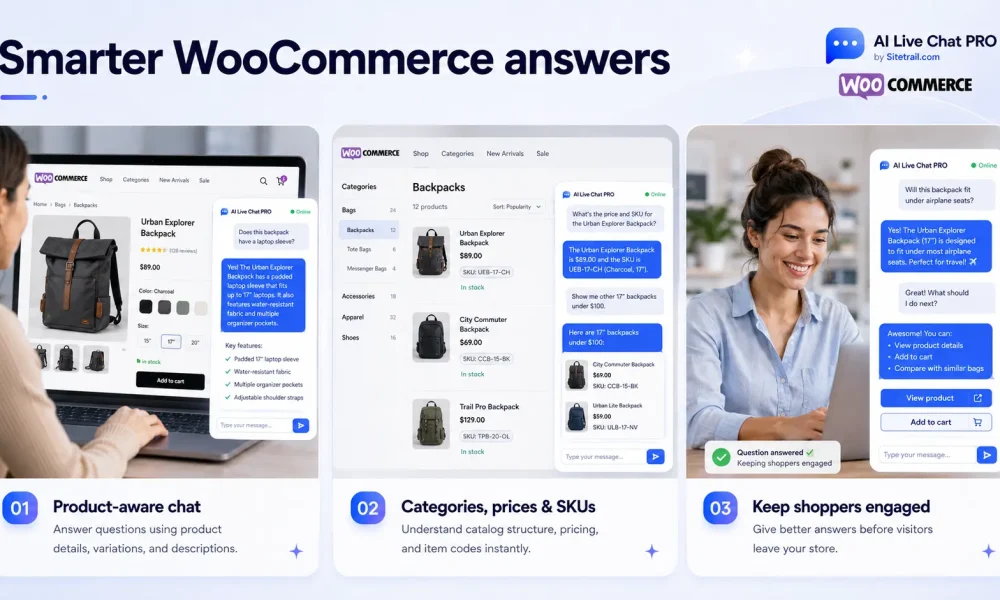
AI Live Chat PRO from Sitetrail takes a different approach. It combines retrieval-augmented generation (RAG), WooCommerce-aware content sync, page context awareness, and a configurable instruction layer so answers come from your real store data rather than guesswork.
This article explains why generic AI chatbots give weak ecommerce answers for WooCommerce, what a stronger WooCommerce chatbot needs, what AI Live Chat PRO does differently, and how to use the interface for more accurate product, pricing, and sales conversations.
Ecommerce Questions Are More Complicated Than They Look
Many chatbot tools are built around a simplified idea of customer support: visitors ask questions, and the bot searches a few documents for a matching answer.
That can work for a small FAQ.
It is much less reliable for ecommerce.
A shopper may not ask a complete question. They might type:
- “How much is gold?”
- “Does this include support?”
- “Is that monthly?”
- “Do you have a cheaper option?”
- “What about bulk?”
- “Which one is best for a small agency?”
- “Is this still available?”
- “What is the difference?”
- “Can I use this for three sites?”
- “And NewsPass?”
Those are normal shopping questions. They are short because the visitor assumes the store already knows what page they are viewing, which product they were discussing, and what options are available.
A human salesperson naturally uses context. A generic chatbot often does not.
That gap matters because online shoppers are not always looking for a long answer. Often, they need one precise fact before continuing:
- The current price
- Whether a product is available
- Whether a plan is monthly or one-off
- Which package suits their use case
- Whether a sale price is still active
- Where to find the checkout page
- What is included in a particular tier
- Whether there is a relevant alternative
A weak answer creates friction at exactly the point where the visitor is trying to make a decision.
The Problem: Generic Bots Don’t Know Your Store
A typical “AI chatbot” plugin does one or more of these:
- Sends the visitor’s message to a large language model with a short system prompt
- Maybe scrapes your homepage or a FAQ page once
- Hopes the model “knows” your products from general training data
That creates predictable failures on WooCommerce sites.
1. No live connection to product data
WooCommerce stores prices, SKUs, sale prices, subscription billing periods, categories, and stock status in structured data. Generic bots rarely read that data per product.
So when a shopper asks “How much is the Gold plan?” or “Do you have bulk guest post packages?”, the bot either invents an answer or escalates — even when the correct price is one database query away.
This becomes even more important when a store sells several types of products.
A WooCommerce catalog may include simple products, service packages, subscriptions, digital downloads, product variations, bundled offers, or products with different prices depending on the selected option. A store may also use product categories to separate audiences, use sale pricing during promotions, or retire products while leaving old landing pages visible for SEO purposes.
A generic website scrape does not automatically understand which price is current, which product is active, or which page should be treated as the source of truth.
2. Long product pages bury the facts
Many WooCommerce products — especially services, subscriptions, and complex packages — have long descriptions built with page builders like Elementor. Pricing might appear in a table, a pricing block, or halfway down a 10,000-word landing page.
Generic retrieval often pulls the wrong chunk: marketing copy without the price, or an old paragraph that no longer matches the checkout page.
This is not unusual. Ecommerce pages are written for conversion, not for machine retrieval. A product page may contain:
- A hero section
- Customer benefits
- Testimonials
- Comparison tables
- FAQs
- Pricing blocks
- Technical specifications
- Refund terms
- Upsells
- Trust signals
- Product bundles
- Calls to action repeated throughout the page
To a visitor, that page may be persuasive and easy to scan. To a weak retrieval system, it may be a long document filled with competing chunks of text.
The answer exists. The chatbot simply fails to retrieve the right part.
3. No memory of what the visitor is looking at
A shopper on a specific product page might ask “How much is this?” or “What’s included?”
A generic bot does not know “this” means the product in front of them unless you bolt on separate context logic — and most plugins do not do that well.
This problem becomes more obvious as the conversation continues.
A visitor might ask:
What are your guest post options?
Then:
What about bulk?
Then:
Gold?
Then:
Is that monthly?
Each message is understandable in context. None of the follow-up questions makes much sense in isolation.
A WooCommerce chatbot needs enough conversation awareness to stay on the current product when the visitor is continuing the same topic, but it also needs enough flexibility to switch when a shopper names a different product.
4. Over-cautious or over-confident prompts
Many bots are told “never guess” but are not told what to do when retrieval almost works.
The result is a dead-end reply like:
I don’t have verified information about that.
That may sound safe, but it is not useful when the correct information is already present in the store.
The opposite failure is equally damaging. A model receives weak context, tries to be helpful, and guesses a price or package detail that is not supported by the product data.
For ecommerce, both extremes are costly:
- A frightened chatbot loses sales by escalating too early
- An overconfident chatbot loses trust by making things up
The better approach is not simply “answer more confidently.” It is to provide better retrieval, cleaner product facts, and explicit instructions about when to answer, when to clarify, and when to escalate.
5. Stale content
Products change. Prices update. Pages get edited. New plans launch. Sale prices expire. Packages are renamed. Subscription tiers change. Old offers are removed.
If your bot was trained once and never refreshed, it may confidently quote last month’s pricing.
WooCommerce stores need ongoing sync, not a one-time import.
That is particularly important for growing stores. A small catalog may change occasionally. A larger store can change every week through promotions, product launches, seasonal updates, inventory changes, revised service packages, or new landing pages.
A chatbot cannot act like a reliable sales assistant if its knowledge base quietly drifts away from the live store.
WooCommerce Stores Contain Several Layers of Information
One reason generic AI chatbots struggle with WooCommerce is that there is no single webpage containing every fact a customer might need.
A product question can depend on several layers of store information.
Product-level facts
These are the direct facts attached to an item:
- Product title
- Product page URL
- Current displayed price
- Regular price
- Sale price
- SKU
- Product type
- Product status
- Categories
- Stock information
- Subscription billing period
- Short description
- Long description
These facts should be easy for a chatbot to retrieve. Yet generic tools often bury them inside long-form page content or fail to import them as structured ecommerce data.
Page-level explanations
A store may also use separate pages to explain:
- Pricing tiers
- Service packages
- Shipping
- Returns
- Product comparisons
- Membership benefits
- Bulk-order options
- Subscription terms
- Custom orders
- Support policies
A chatbot needs access to those pages too. Product data alone may not answer every question.
Conversation-level context
Finally, the chatbot needs to understand the visitor’s current context:
- Which page they are viewing
- Which product they asked about earlier
- Whether the latest message is a follow-up
- Whether they have pivoted to a different product
- Whether they are asking for a recommendation or a factual detail
Reliable ecommerce chat requires these layers to work together.
Why Better Language Models Alone Do Not Solve the Problem
It is tempting to assume that the answer is simply to connect a more capable AI model.
A stronger model can improve writing quality, reasoning, and the ability to interpret vague questions. But it cannot quote a correct price if the store data never reached it. It cannot know the current plan names if it only received an outdated page scrape. It cannot understand “this product” if the widget does not pass the current page context. It cannot distinguish a live offer from an old paragraph if the retrieval layer sends the wrong snippet.
The quality of the model matters.
The quality of the data pipeline matters more than many store owners realize.
For WooCommerce, the chatbot needs a practical bridge between:
- The live store
- The knowledge base
- The retrieval system
- The visitor’s current page
- The conversation history
- The model instructions
Without that bridge, even a sophisticated language model behaves like a clever outsider trying to answer questions about a store it has never properly inspected.
What Strong WooCommerce Chat Actually Requires
Reliable ecommerce chat needs four things working together:
| Requirement | Why it matters |
|---|---|
| Structured product facts | Title, price, URL, SKU, categories — in a format the AI can’t miss |
| Retrieval that finds the right product | Not just “similar text” — keyword + semantic search, pricing boosts, topic awareness |
| Fresh sync from WooCommerce | When you change a price, the bot should know on the next conversation |
| Clear bot instructions | Tell the model: use retrieved data, quote prices when present, clarify before escalating |
Generic plugins usually implement none of this as a system. AI Live Chat PRO implements all four.
That distinction matters because ecommerce accuracy is not created by one feature in isolation.
A knowledge base without reliable retrieval still fails.
Retrieval without structured product facts still misses important details.
Product sync without page context still struggles with vague questions like “How much is this?”
Page context without sensible instructions can still create robotic or unhelpful answers.
The strongest results come from combining these layers.
How AI Live Chat PRO Fixes This
WooCommerce Product Facts — pricing the model can’t miss
When Website Content Sync imports a WooCommerce product, the plugin builds a structured WooCommerce Product Facts block at the top of each product’s knowledge base entry. That block includes:
- Product title
- Permalink / product page URL
- Product type and status
- SKU (when set)
- Current displayed price (with currency symbol)
- Regular and sale prices
- Subscription billing period (for subscription products)
- Short and long descriptions
- Product categories
This is not buried in page copy. It is injected first, before marketing text, so retrieval and the AI model see pricing as a primary fact rather than an afterthought.
That is a practical improvement for real stores because the most commercially important facts are not always the most prominent text in a long page. A landing page may lead with benefits, social proof, or a comparison table. The WooCommerce Product Facts block puts the underlying product information in a clear position for retrieval.
For long landing pages, which are common with service businesses, the plugin also extracts a Page Pricing Summary block when tiered pricing is detected in the page text. That helps plans like Basic, Silver, and Gold with monthly prices surface even when the page is enormous.
This matters for ecommerce businesses that sell more than physical items. WooCommerce is often used for subscriptions, professional services, digital packages, agency retainers, membership plans, and tiered offers. Those pages can be information-heavy. The pricing summary helps prevent the answer from disappearing inside a long sales page.
Hybrid RAG retrieval — vector search + keyword search together
AI Live Chat PRO does not rely on semantic search alone. Each visitor message triggers:
- Vector RAG search — finds conceptually similar content
- Keyword search — matches product names, plan names, prices, and distinctive terms
- Merge and rank — combines results, boosts exact title matches, price tokens, and pricing-intent queries
This matters because shoppers do not always use the exact words written on a product page.
A visitor might ask for:
- A “monthly package” when the page says “subscription”
- A “bulk deal” when the store says “volume pricing”
- The “Gold option” when the product title contains a longer brand name
- A “cheaper version” when they are really asking for a lower tier
Semantic retrieval helps find conceptually related content.
Keyword retrieval helps catch exact product names, prices, and distinctive terms.
Using both reduces the chance that a clear product question gets lost because the visitor phrased it differently from the store.
For WooCommerce products, when a product row matches, the Product Facts block is always prepended to the snippet sent to the AI — regardless of which chunk scored highest. That directly addresses the “Inspect shows the price but the bot can’t find it” failure mode.
Smart conversation stickiness — without trapping the bot
The plugin tracks which product or page the conversation is about, so follow-ups like “Gold?” or “Is that monthly?” stay on topic.
But when a shopper pivots — “and NewsPass?” after discussing guest posts — the system can switch to the newly named product instead of staying locked on the wrong catalog item.
That matters for WooCommerce stores with large catalogs and multiple product lines.
A useful ecommerce chatbot needs balance.
If it forgets the previous topic too quickly, every short follow-up becomes confusing.
If it clings to the previous topic too strongly, a new product question receives an answer about the wrong item.
Smart topic handling allows the conversation to feel more natural without letting earlier context distort a clearly named new request.
Page context awareness — “this product” actually works
Enable Context Awareness in AI Configuration, and the bot receives the page the visitor is on: title, URL, page type, and for WooCommerce product pages — price, SKU, stock status, and categories.
So on a product page, “Tell me more about this” refers to the actual product in view.
Context supplements the knowledge base; it does not replace it. Permanent product truth still lives in synced KB content.
This is especially helpful because shoppers often assume page awareness. They do not want to repeat the product title while looking directly at the product page. A useful chat widget should understand that assumption.
Page context also makes the widget more relevant at the point of decision. A visitor browsing a product page is often closer to purchase than a visitor reading a general blog post. The answer should reflect the page they are actually viewing.
Website Content Sync — your catalog stays current
Instead of manually re-uploading product information every time you change a price, Website Content Sync keeps selected WooCommerce products, WordPress pages, and posts aligned with the knowledge base.
Sync runs in background batches via Action Scheduler, which is bundled with the plugin and also available through WooCommerce. Bulk work does not slow down your admin or live chat.
When you save a product in WooCommerce, a refresh can be queued automatically so prices and descriptions stay current.
That is important for stores where the catalog evolves over time. Ecommerce content is rarely static. Store owners edit descriptions, change sale pricing, publish new products, refine plans, and update landing pages as their offers improve.
The chatbot should follow those changes rather than becoming a separate content system that must be maintained manually.
Bot instructions you control
Under Messages & Behavior → Bot Personality & Instructions, you define how the assistant behaves: tone, escalation rules, when to quote pricing, and when to ask a clarifying question instead of dead-ending the chat.
The knowledge base is the source of truth.
Your instructions tell the model how to use that truth confidently — especially for pricing and product recommendations.
This matters because two stores can have the same product data but want different customer experiences.
One store may want concise, sales-focused replies.
Another may want the chatbot to explain options in more detail.
A store selling subscriptions may want the bot to distinguish monthly and annual billing clearly.
A service business may want the bot to ask one qualifying question before recommending a tier.
The instruction layer gives the store owner control over that behavior.
How to Use the Interface for Good WooCommerce Results
Here is a practical setup path using the AI Live Chat PRO admin tabs.
Step 1: AI Configuration — connect the brain
Go to AI Live Chat → AI Configuration.
- Add your OpenAI API key (required for AI responses and embeddings)
- Choose your chat model
- Optionally configure Grok as an alternative provider
- Set KB Context Character Limit (default 2000 characters per snippet; increase for very long product pages if needed)
- Enable Context Awareness so product-page visitors get page-aware answers
Without an API key, AI features and RAG embeddings won’t run.
This is the foundation. The model handles the conversation, but the quality of the answer also depends on the content you sync and the retrieval context you provide.
For stores with long descriptions or detailed service pages, the KB Context Character Limit deserves particular attention. A very small context window may leave out important details. A larger context allowance can help when the relevant answer requires more surrounding explanation.
Step 2: Knowledge Base — sync your WooCommerce catalog
Go to AI Live Chat → Knowledge Base.
At the top, find Website Content Sync.
For WooCommerce products, choose one of:
- Do not automatically sync products — manual control only
- Automatically sync all published WooCommerce products — best for smaller catalogs
- Automatically sync selected WooCommerce products only — best for large stores; enter product IDs
Also configure pages and posts if you have service landing pages, pricing tables, or long sales pages the bot should know.
Click Save Sync Settings, then run a sync. The plugin processes content in batches in the background.
After sync, check the Trained Sources table:
- Each synced product should appear as a KB source
- Use Inspect on any product to view stored content
- For WooCommerce products, you should see the
--- WooCommerce Product Facts ---block with title, price, and URL at the top
If Inspect shows the price but chat still fails, the issue is usually bot instructions or retrieval query shape — not missing data.
RAG embeddings: After content is in the knowledge base, run embedding/indexing via the RAG tools so vector search can find your products. Bulk embedding also runs in background batches.
For smaller stores, syncing all published products may be the easiest starting point.
For large stores, a selective approach can be more effective. A catalog may contain products that rarely generate questions, discontinued items, old pages, or content that is useful for SEO but not useful in chat. Syncing selected products can reduce noise and keep retrieval more focused.
Step 3: Messages & Behavior — instruct the bot for sales
Go to Messages & Behavior.
This is the main control for how your bot responds alongside the knowledge base.
In Bot Personality & Instructions, define rules like:
- Use retrieved knowledge base content as the only source of truth for prices and URLs
- If a price appears in retrieved content, state it confidently
- If a price is missing, ask one clarifying question before escalating
- Never invent prices or checkout links
- Include product page URLs when recommending items
For WooCommerce, avoid instructions that make the bot escalate on the first vague question such as “newspass?” or “Gold?”
Short follow-ups are normal shopping behavior. Your instructions should allow the bot to answer when the KB supports it, and clarify when it does not.
Also set:
- Welcome message — first thing visitors see
- Handoff keywords — when to offer human support
- Pre/post handoff messages — what visitors see during escalation
A useful ecommerce chatbot should not behave like a rigid ticketing system. It should help visitors move forward while keeping a clear boundary around unsupported claims.
That is why the instruction layer matters. It gives the chatbot a practical sales policy:
- Answer from verified store data
- Use the price when it is present
- Ask for clarification when the question is ambiguous
- Escalate when human input is genuinely needed
- Never fabricate a commercial detail
Step 4: Get Started / User Experience — widget and engagement
Get Started → Make It Yours:
- Upload a Header Logo (shown in the chat window header)
- Optionally use the same image as the floating chat icon
- Set brand colors and bot name
User Experience:
- Enable Floating Icon — shows the chat bubble site-wide
- Enable Proactive Messages — automatic teaser after a set delay (“Hi! Do you have any questions?”)
- Configure pre-chat form fields (email, phone) if you want lead capture
The presentation layer matters because store visitors need to notice the widget and understand that help is available.
A proactive message can be useful when it feels like assistance rather than interruption. For example, a shopper lingering on a pricing page may benefit from a simple invitation to ask a question.
Pre-chat fields can also help with lead capture, especially for service businesses or high-value products where the visitor may need a human follow-up.
Step 5: Test like a real shopper
Do not test only with perfect questions like “What is the price of Product X?”
Test the messy ones:
- “How much for gold?”
- “Do you have bulk options?”
- “and newspass?” (mid-conversation pivot)
- On a product page: “Tell me more about this”
If answers fail, use Inspect on the relevant KB source first. Fix data and sync before blaming the model.
Also test common ecommerce question patterns:
- Ask about a product by a shortened name
- Ask a follow-up without repeating the product
- Switch to a second product mid-conversation
- Ask whether a plan is monthly
- Ask for a cheaper or more advanced option
- Ask what is included
- Ask for the relevant product URL
- Ask a vague question from a specific product page
Testing realistic language is essential because customers do not behave like quality-assurance engineers. They type quickly, shorten product names, misspell words, and assume the store understands what they mean.
Step 6: Maintain sync as your catalog changes
WooCommerce stores are living systems. When you:
- Change a price
- Add a subscription tier
- Publish a new product
- Retire an old package
…make sure that product is in your sync selection or run a manual refresh. Stale rows are marked in the Trained Sources table so you can see what is out of date.
A good chatbot setup is not a one-time installation followed by neglect.
It should become part of the normal ecommerce workflow.
When product information changes, the chatbot should be updated alongside the store.
Syncing Best Practices for WooCommerce Stores
Start selective, not exhaustive
If you have hundreds of products but only 40 are relevant to chat — such as services, packages, subscriptions, or high-value items — sync selected products only.
Less noise means better retrieval and lower embedding cost.
The largest possible knowledge base is not automatically the best knowledge base.
A focused store assistant should prioritize the information customers are most likely to ask about.
Prioritize purchasable pages
Sync:
- WooCommerce products visitors actually buy
- Long landing pages with pricing tables, such as NewsPass-style plans, accelerated packages, or bulk deals
- Key FAQ or policy pages
For many stores, the most useful chatbot knowledge is concentrated around a relatively small group of pages:
- Best-selling products
- Pricing pages
- High-margin services
- Subscription plans
- Product comparisons
- Delivery information
- Returns information
- Frequently misunderstood offers
Start with the commercial core.
Be cautious with blog posts
The interface warns that syncing all posts expands the KB and increases token usage.
Blog archives often add SEO noise that competes with product answers. Use selected posts only when needed.
A blog post can be helpful when it explains a product, answers a common pre-sales question, or provides a detailed guide.
But automatically adding hundreds of loosely related articles can make retrieval less precise.
The goal is not to teach the chatbot everything your site has ever published. The goal is to help it answer the questions customers actually ask.
Verify Product Facts after sync
Open Inspect on a few products.
Confirm you see the current price, URL, and categories in the facts block.
This is one of the most important checks because it tells you whether the chatbot has access to the basic product truth before you test conversational behavior.
If the stored product facts are correct but the answer is poor, you can investigate retrieval and instructions.
If the stored product facts are wrong or missing, fix the sync first.
Re-index after major catalog changes
Rebrands, discontinued lines, or full catalog overhauls may require clearing old sources and re-syncing from scratch. The Knowledge Base includes tools for bulk reset when needed.
This is particularly useful when a store has made significant structural changes.
A normal price edit may only require a refresh.
A complete redesign, product rename, or catalog migration may justify a clean re-index.
Match bot instructions to your catalog shape
If you sell tiered subscriptions, tell the bot to list Basic, Silver, and Gold when those tiers appear in retrieved content.
If you sell one-off packages and monthly plans, instruct it to clarify which type the shopper means before escalating.
If your store contains many related products, tell the bot when it should recommend alternatives.
If your store has products with similar names, tell the bot to clarify rather than assume.
The best instructions reflect the way real shoppers navigate your specific store.
Common WooCommerce Chatbot Failure Scenarios
Understanding the common failures makes it easier to test whether your chatbot is genuinely useful.
The missing-price failure
The shopper asks:
How much is Gold?
The page contains the price, but the chatbot retrieves a marketing paragraph rather than the pricing block.
The result is either a vague answer or an unnecessary escalation.
The solution is structured Product Facts, a Page Pricing Summary where needed, and retrieval that treats pricing intent seriously.
The wrong-product failure
The shopper discusses one product and then asks:
And NewsPass?
A poorly designed system remains locked on the earlier topic and answers about the wrong product.
The solution is topic stickiness that can still switch when a newly named product appears.
The stale-answer failure
The store owner changes a subscription price, but the bot still quotes the earlier price because it was trained from an older snapshot.
The solution is Website Content Sync and routine verification of stale rows.
The generic-recommendation failure
The shopper asks:
Which option is best for a small agency?
A generic bot gives broad advice without using the actual catalog.
The solution is retrieval that brings the real packages into context, supported by instructions that guide the model to recommend only verified options.
The page-blindness failure
The visitor is on a product page and asks:
Is this monthly?
A generic bot has no idea what “this” means.
The solution is Context Awareness so the chatbot receives the page title, URL, page type, and WooCommerce product details.
The premature-handoff failure
The chatbot immediately offers human support for any incomplete question.
That defeats the purpose of ecommerce chat.
The solution is a clearer behavior policy: answer when the KB supports the answer, ask one clarifying question when needed, and hand off when a human is genuinely required.
Why This Matters for Store Conversion
A chatbot should not be judged only by whether it can produce fluent sentences.
For ecommerce, the better question is:
Does it reduce uncertainty at the moment a shopper is considering a purchase?
Online stores lose momentum when visitors cannot quickly answer simple questions.
A shopper may hesitate because they are unsure about:
- Price
- Billing frequency
- Product differences
- Availability
- Suitability
- Included features
- Next steps
- Whether a lower or higher tier exists
A useful chatbot shortens that decision process.
It does not need to pressure the visitor. It needs to remove avoidable confusion.
That is especially valuable outside normal support hours. A visitor browsing late at night may not submit a form and wait for a reply. But they may continue to checkout if the store can answer a straightforward product question immediately.
For higher-value WooCommerce products and service packages, the chatbot can also act as a lead-qualification layer. It can help the visitor identify the relevant offer, then direct them to the correct page or handoff path.
Why This Beats “Just Add ChatGPT to WooCommerce”
A raw ChatGPT integration — or a generic widget with a one-paragraph prompt — does not give you:
- Structured WooCommerce Product Facts on every synced item
- Hybrid retrieval with price-token boosting
- Automatic re-sync when products change
- Page-level product context on WooCommerce product pages
- Inspectable knowledge base rows you can audit before shoppers see wrong answers
- Conversation topic handling for multi-product catalogs
AI Live Chat PRO is built as a WooCommerce-aware support and sales layer, not a generic chat box.
The interface reflects that:
- Knowledge Base + Sync for data
- Messages & Behavior for policy
- AI Configuration for model and context
- User Experience for how the widget engages visitors
The difference is not cosmetic.
A generic chatbot adds an AI window to a website.
A WooCommerce-aware chatbot connects the conversation to the store.
The Bottom Line
Generic AI chatbots give weak WooCommerce answers because they do not know your store in a structured, current, retrievable way.
They guess.
They escalate too early.
They retrieve the wrong paragraph from a long product page.
They fail to understand what the shopper is currently viewing.
They lose context when the visitor asks a short follow-up.
They remain trapped on the previous topic after the shopper names a different product.
They quote stale information after the catalog changes.
AI Live Chat PRO fixes this by:
- Syncing WooCommerce products into a knowledge base with explicit Product Facts
- Retrieving the right content with hybrid RAG + keyword search and pricing-aware ranking
- Contextualizing conversations with page awareness and smart topic stickiness
- Letting you instruct the bot to quote prices when they are in the KB and clarify when they are not
Use Website Content Sync to keep catalog data fresh.
Use Inspect to verify what the bot actually knows.
Use Bot Personality & Instructions to stop scared escalation and encourage confident, accurate sales answers.
Test the chatbot with real shopper language, not carefully written demo questions.
Do that, and your WooCommerce chatbot stops being a generic FAQ toy — and starts acting like a salesperson who actually read your product pages.