
A company has spent weeks preparing a digital PR campaign. The research is finished, journalists have been contacted, and a few publications are interested in covering the story.
Then someone notices that the campaign landing page still contains an old statistic. The correction is approved, but publishing it requires a developer who is busy with another project.
The first article goes live before the website is ready.
It’s an avoidable problem, although a fairly common one when PR and website updates are managed separately. A digital PR campaign depends on more than a good story. The website needs to support the attention that story brings, whether visitors arrive to read the research, download a report, or learn more about the company.
Here’s what to check before outreach turns into published coverage.
Prepare the Page Before Pitching
Journalists need somewhere to verify the information you’re sharing. That might be a research report, a dedicated campaign page, or an article explaining the findings.
Ideally, the page should be ready before outreach begins.
It doesn’t necessarily have to be publicly promoted yet, but the content, design, and supporting materials should already be approved.
Check that the page includes the information a journalist might need: the main findings, research methodology, publication date, and appropriate contact details.
If the campaign is based on original research, make the source material easy to find. A journalist shouldn’t have to search through several pages to understand where a statistic came from.
Keep the page URL short and descriptive. Avoid changing it after journalists have received the link.
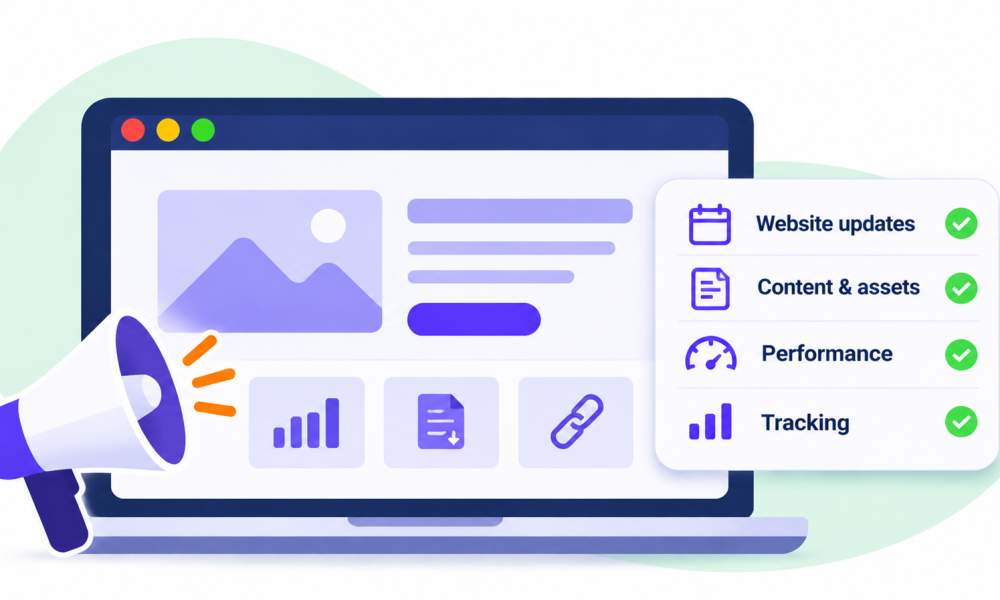
Add Website Updates to the Campaign Timeline
PR teams usually plan pitching dates, follow-ups, publication opportunities, and social media promotion. Website changes sometimes get added near the end, when everyone assumes the page will be easy to update.
That assumption can cause trouble.
Include website changes in the campaign schedule from the start. Identifying website publishing delays helps reveal whether approved updates are waiting for a developer, another review, or a release window.
Ask the website team how long different changes normally take.
Replacing an image or correcting a paragraph may be straightforward. Adding a new downloadable report, building an interactive chart, or connecting a form to the CRM could require more preparation.
Allow time for those differences.
It’s also worth deciding who can approve last-minute corrections. If a journalist spots a mistake shortly before publication, the team should know how to fix it without restarting the entire approval process.
Check the Story Against the Website
One of the easiest mistakes is letting the PR pitch and landing page drift apart.
A pitch might mention that a study covered 500 businesses, while the website still displays an earlier sample of 450. Perhaps the headline changed during editing, but the downloadable report wasn’t updated.
These inconsistencies can undermine otherwise credible research.
Before sending the campaign, compare the final pitch, website copy, graphics, and downloadable materials.
Check figures, dates, quotations, and the names of people or organizations mentioned.
If the research includes percentages, make sure the supporting numbers are consistent. A rounded figure in a headline may be reasonable, but the methodology should explain what was measured.
Someone who wasn’t involved in writing the report can be particularly useful here. They’re more likely to notice missing explanations that the original team takes for granted.
Make Supporting Materials Easy to Access
A journalist interested in the story may want a chart, image, company background, or a more detailed explanation of the findings.
Don’t make them request every asset individually.
A small media resources section can contain downloadable graphics, a report PDF, relevant photographs, and contact information for follow-up questions.
Use clear filenames and appropriate image dimensions.
If you’re providing charts, include enough context for someone to interpret them correctly. A graphic showing percentages without explaining the sample can easily be misunderstood.
Check that downloadable files open properly and don’t require unnecessary registration.
Lead generation may be one of the campaign’s goals, but putting essential research behind a form can make the material harder for journalists to use.
You can offer additional resources through a signup form without restricting access to the information needed to verify the story.
Test the Page on Mobile
Digital PR traffic doesn’t arrive exclusively from desktop computers.
Someone may discover the story through a news app, LinkedIn post, or shared message and open the campaign page on their phone.
Review the page on an actual mobile device.
Check whether the headline is readable, charts fit the screen, and important information appears without awkward horizontal scrolling.
Large tables can be particularly troublesome. A research report might contain detailed comparisons that work well on desktop but become almost impossible to read on a small screen.
Consider presenting the most important findings in simpler mobile-friendly sections while keeping the full data available separately.
Also test download links and forms. A button that works with a mouse may be difficult to tap when placed too close to another element.
Make Sure the Website Can Handle Attention
A successful PR campaign may bring a sudden increase in visitors.
The traffic doesn’t need to be enormous to expose problems. A page with several large images, embedded videos, and third-party scripts may already load slowly under normal conditions.
Run the campaign URL through PageSpeed Insights and review the mobile results.
Look for oversized images, unnecessary scripts, and elements that delay the main content.
If you’re expecting significant coverage, discuss traffic capacity with the hosting or development team.
Caching and content delivery settings may need checking, particularly for pages containing downloadable reports or interactive features.
Avoid introducing major technical changes immediately before the campaign without testing them.
A stable page that loads reliably is more useful than a last-minute redesign.
Check Tracking Before Coverage Starts
Once journalists begin publishing, you’ll want to understand what traffic the campaign generates.
Set up analytics before the first links appear.
Check that GA4 or your chosen analytics platform records visits to the campaign page and relevant actions, such as report downloads or form submissions.
Test those events rather than assuming they’re working.
If the campaign uses separate URLs for email outreach, social posts, or paid promotion, apply consistent UTM parameters where appropriate.
Referral traffic from publications can help show which articles brought visitors to the website.
Keep in mind that analytics won’t capture every interaction perfectly, particularly when visitors decline tracking consent.
Use the data to understand general performance rather than treating every number as an exact count of interested readers.
Plan What Happens After Publication
A campaign page shouldn’t become outdated the moment the initial publicity ends.
If the research remains useful, it may continue attracting visitors through search engines and backlinks for months.
Decide who will maintain it.
New findings might require an update. A referenced company could change its name. A statistic may need additional context after new information becomes available.
When changes are substantial, add an update note so readers understand what has changed since the original publication.
Keep the page available if it continues to provide value. Deleting it after the campaign can leave journalists’ links pointing to an error page.
If the content must move, use an appropriate redirect to preserve access.
It’s also useful to collect the published coverage and review which parts of the story attracted the most attention. That information can guide future research and campaign planning.
Run a Final Check Before Outreach
Before sending the first pitch, open the campaign page as someone unfamiliar with the project.
Can you understand the main finding? Are the supporting figures available? Do the download links work? Is there a clear way to contact the company?
Then check the page on mobile and confirm that analytics is recording the intended actions.
Finally, make sure someone is responsible for handling corrections while the campaign is active.
Digital PR can bring valuable attention to a business, but the website has to be ready when that attention arrives.
Preparing the page, publishing process, and supporting materials early gives journalists a reliable source to reference and visitors a better reason to stay.