WordPress AI chatbot comparison
A detailed comparison of three very different approaches to AI chat for WordPress—one built as a full helpdesk, one as a broad AI toolkit, and one focused on grounded sales, support and WooCommerce accuracy.
Choosing an AI chatbot for WordPress is no longer just a matter of adding a floating message box and connecting it to ChatGPT. The important differences now sit deeper: where conversation data is stored, how the chatbot learns from website content, whether it can reliably handle prices and products, how well it understands WooCommerce, and what happens when the AI does not know the answer.
The three products in this comparison approach the problem from very different directions.
Best for support departments
Tidio
Tidio is the strongest choice for businesses that want a mature customer-service platform rather than only a WordPress chatbot. It combines AI automation with live agents, ticketing and multichannel communication. For a support department managing conversations across web chat, email, WhatsApp and social platforms, Tidio offers the most complete helpdesk environment of the three.
Best for broad AI experimentation
AI Engine
AI Engine takes a broader WordPress AI approach. Its strength is flexibility. It supports numerous AI providers and extends well beyond chat into content generation, AI forms, image tools, function calling and WordPress automation. Developers and technically confident users who want one plugin for many different AI applications may find it the most versatile toolkit.
Best overall for grounded WordPress commerce
AI Live Chat PRO
AI Live Chat PRO is more focused. It is built specifically to turn a WordPress or WooCommerce website into a grounded sales and support assistant. Its advantage is not merely that it can answer questions, but the way those answers are retrieved, verified, controlled and handed to a human when needed.
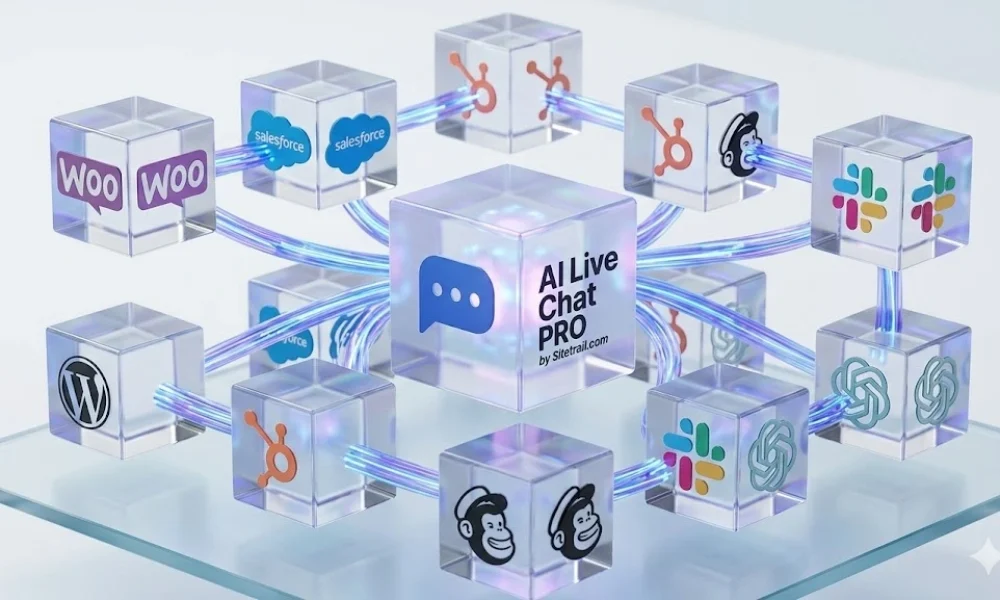
AI Live Chat PRO stores conversations in the website’s own WordPress database, giving the site owner more direct control over retention and access. It can synchronize WordPress pages, posts, WooCommerce products and Elementor landing pages into its knowledge base. It combines semantic retrieval with keyword matching, injects verified product facts and restricts links to URLs found in the retrieved source material.
It also includes safeguards that are unusually relevant to commercial websites. Unsupported prices can be blocked before reaching the visitor. Pricing from one product is prevented from leaking into answers about another. WooCommerce order lookups use live store data and can verify guest orders using the order number and checkout email instead of relying on the language model to guess.
When a visitor needs a person, the handover can continue live on WhatsApp. The website conversation history and public chat reference are carried into the new conversation on web.whatsapp.com, giving the human recipient the context needed to continue rather than forcing the visitor to start again.
That makes AI Live Chat PRO the strongest overall option in this comparison for WordPress businesses that value accurate product information, WooCommerce integration, data control and grounded answers more than they need a large external helpdesk platform or a general-purpose collection of AI tools.
How to read the table: Tidio includes its Lyro AI Agent and documented platform capabilities. AI Engine includes Pro and official add-ons where a cell says so. “No” means that an equivalent packaged or officially documented native feature was not identified; custom development may still reproduce it.
What was left out: Licensing mechanics, setup notices, cross-sell cards, debug logs, database schemas, endpoint inventories, decorative typing effects and other implementation details that do not materially change the purchasing decision.
Complete feature comparison
Scroll horizontally on smaller screens. The top row and feature column remain visible to make the longer comparison easier to follow.
| Feature and short explanation | AI Live Chat PRO | Tidio | AI Engine |
|---|---|---|---|
| Architecture & privacy | |||
| Runs primarily inside WordPressThe chatbot’s main application and administration operate from the customer’s WordPress installation. | Yes — native plugin | No — WordPress plugin connects to Tidio’s cloud platform | Yes — native plugin |
| Local server-side chat storageConversation records can be retained in the website’s own WordPress database rather than a chatbot vendor’s cloud. | Yes — stored in WordPress | No — stored in Tidio’s EEA-hosted cloud | Yes — when Discussions or Insights are enabled |
| GDPR-friendly data controlLocal storage gives the site owner more direct control over retention, deletion and access, although no plugin creates automatic GDPR compliance. | Yes — local-control architecture | No — compliant SaaS, but not locally controlled | Yes — local logs are available |
| Bring your own AI API keyThe owner connects directly to an AI provider and pays that provider for model usage. | Yes — OpenAI or xAI | No — Lyro is a managed Tidio service | Yes — direct provider connections |
| No vendor conversation allowanceThe product does not impose a bundled monthly AI-conversation quota separate from the chosen AI provider’s usage charges. | Yes — no plugin-side chat cap | No — Lyro usage is plan/allowance based | Yes — provider costs and optional self-set limits apply |
| Multiple AI-provider choiceThe administrator can choose between more than one underlying model provider. | Yes — OpenAI and xAI Grok | No — provider is not user-selectable | Yes — OpenAI, Anthropic, Google, Mistral, OpenRouter and others |
| Locally managed vector indexEmbeddings and retrieval data can be managed inside the WordPress installation instead of a third-party vector service. | Yes — vectors stored in WordPress | No — cloud-managed knowledge system | No — Pro knowledge uses services such as Pinecone, Qdrant, Chroma or OpenAI Vector Store |
| Visitor experience | |||
| Floating AI chat widgetA launcher opens a visitor-facing chatbot over the website. | Yes | Yes | Yes |
| Inline shortcode embedThe full chatbot can be placed directly inside a page or post rather than only appearing as a floating widget. | Yes | No — not a native WordPress shortcode-style inline chat | Yes |
| Custom colors, logo and brandingThe site owner can adapt the widget’s visual identity to match the website. | Yes | Yes | Yes |
| Proactive teaser messageA timed invitation can prompt visitors to open the chat before they initiate contact. | Yes | Yes | No — not documented as a native feature |
| Pre-chat lead formThe chatbot can collect visitor details before the conversation begins. | Yes | Yes | Yes — official Visitor Form add-on |
| Name, email and phone captureLead fields can be required or collected before or during the conversation. | Yes | Yes | Yes — add-on |
| File and image uploads in chatVisitors can attach files or images for the AI or support team to inspect. | No | Yes | Yes |
| AI image understandingThe AI can interpret an image supplied by the visitor as part of the conversation. | No | Yes — Lyro can interpret images | Yes |
| Voice input and spoken repliesVisitors can speak questions and optionally hear the chatbot’s answers aloud. | Yes | No — not documented as a native Tidio feature | Yes — including realtime audio options |
| Conversation continuity after navigationThe visitor can move between pages or reload without immediately losing the active conversation. | Yes | Yes | Yes — local memory or saved discussions |
| Customer transcript emailA conversation transcript can be emailed to the visitor after the chat. | Yes — automatic template | Yes — manual or automatic transcript delivery | No — not documented as a native transcript-email feature |
| Customer satisfaction ratingsVisitors can rate the interaction and the result feeds reporting. | Yes — thumbs up/down | Yes — satisfaction survey for Lyro, live chat and tickets | No — not documented as a native chatbot feature |
| Multilingual conversationsThe chatbot can answer visitors in multiple languages. | Yes | Yes — dozens of languages | Yes |
| Knowledge & answer quality | |||
| Manual knowledge entriesAdministrators can add custom FAQs, policies or reference answers directly. | Yes | Yes | Yes |
| External website URL ingestionThe system can fetch and learn from specified web pages outside the normal WordPress import flow. | Yes | Yes | No — not documented as a native crawler |
| PDF or file-based knowledgeDocuments can be added as knowledge sources for grounded answers. | Yes | Yes — PDF and CSV | Yes — PDFs and supported knowledge files |
| Direct WordPress content ingestionPosts, pages or products can be imported from the current WordPress site without first publishing an external knowledge page. | Yes | No — generally ingests links/files or connected catalog data | Yes |
| Automatic content re-syncKnowledge can be refreshed after source content changes without rebuilding everything manually. | Yes — scheduled and save-triggered | Yes — automatic URL re-sync on qualifying plans | No — not documented as an equivalent native sync pipeline |
| Automatic WooCommerce product updatesProduct changes are reflected without manually recreating the product knowledge source. | Yes — save-triggered sync | Yes — real-time product updates | Yes — Woo Basics queries current store data |
| Semantic RAG or embeddingsThe chatbot retrieves semantically related source material before generating the answer. | Yes | No — Lyro is grounded, but user-managed embeddings/RAG are not exposed | Yes — Pro |
| Hybrid vector plus keyword retrievalSemantic similarity is combined with exact terms such as product names, plan names and prices. | Yes | No — not publicly documented | No — vector retrieval is documented, not this hybrid ranking system |
| Full-catalog retrieval on every turnEach question can search the complete knowledge base instead of remaining permanently locked to the first product mentioned. | Yes | No — not documented | No — not documented |
| Inspectable stored knowledgeAdministrators can inspect the actual stored source text or retrieved knowledge used by the chatbot. | Yes — source inspector | No — sources and playground are visible, but not the same stored-content inspector | Yes — Knowledge query and Discussion context inspection |
| Embedding coverage dashboardThe administrator can see how much of the knowledge base has actually been embedded and identify stale coverage. | Yes | No | No — query inspection exists, but not an equivalent coverage percentage |
| Background batch indexingLarge embedding or sync jobs run in batches so they do not block normal WordPress administration or visitor chat. | Yes — Action Scheduler | No — cloud processing is managed by Tidio rather than exposed as a site-side batch feature | No — not documented as an equivalent WordPress background pipeline |
| Current-page context awarenessThe AI receives information about the page or product the visitor is viewing when the message is sent. | Yes — including WooCommerce metadata | No — agents can see viewed pages, but Lyro page-context grounding is not documented | Yes — content-aware context |
| Multi-turn conversational contextThe chatbot understands follow-up questions using earlier turns in the same conversation. | Yes | Yes | Yes |
| Topic-pivot and rejection releaseWhen the visitor rejects an answer or changes products, retrieval deliberately releases the old topic instead of remaining stuck. | Yes | No — not documented as explicit retrieval logic | No — not documented as explicit retrieval logic |
| Verified URL groundingThe model is restricted to verified links from retrieved material instead of inventing plausible-looking URLs. | Yes — per-turn URL allowlist | No — not documented as a general URL guard | Yes — official Better Links add-on |
| Deterministic price-invention guardA reply containing an unsupported price is blocked before the visitor sees it. | Yes | No — grounded answers are claimed, but no deterministic price validator is documented | No — not documented |
| Wrong-product pricing guardPrices from one product are prevented from bleeding into an answer about another product. | Yes | No — not documented | No — not documented |
| Missed-question training queueUnanswered or poor questions are collected so an administrator can improve the knowledge base. | Yes — Knowledge Gaps | Yes — missed questions and create-answer workflow | No — not documented as a native queue |
| Custom bot instructions and personalityThe administrator controls tone, behaviour, boundaries and escalation instructions. | Yes | Yes | Yes |
| WooCommerce | |||
| Native WooCommerce product accessThe chatbot can use products from the connected WooCommerce store. | Yes | Yes — Lyro Product Recommendations | Yes — Woo Basics add-on |
| Structured product-facts blockProduct title, price, URL, SKU and commerce details are assembled into a deterministic facts section for retrieval. | Yes | No — catalog sync exists, but this exact facts architecture is not documented | No — function-based store access, not this facts-block design |
| Elementor pricing-table extractionPrices and plan tiers embedded in long Elementor landing pages are normalized into a searchable pricing summary. | Yes | No | No |
| AI product recommendationsThe chatbot can recommend relevant products from the live catalog. | Yes | Yes | Yes — add-on |
| Product cards or carouselProduct results can appear as visual cards rather than plain text links. | Yes — same-site link cards | Yes — product cards with Add to cart or View product | Yes — product carousel add-on |
| Native order-status lookupCustomers can ask for order information through a packaged WooCommerce feature. | Yes | No — possible through custom Lyro Actions, not a native WooCommerce order lookup | Yes — Woo Basics add-on |
| Guest order verificationA guest can retrieve an order only after matching the order number with the checkout email. | Yes | No — not documented | No — official add-on documentation describes logged-in customer order access |
| Deterministic live order responseOrder status and tracking are returned from live store data instead of being invented from model memory. | Yes — bypasses the LLM | No — requires a configured Action/API workflow | Yes — structured function calling in the add-on |
| Subscription and tier-pricing groundingRecurring billing periods and service-plan prices can be surfaced as explicit commercial facts. | Yes | No — not documented as a dedicated grounding layer | No — not documented as a dedicated grounding layer |
| Sales, support & operations | |||
| Human handoffThe bot can escalate a conversation when AI should stop handling it. | Yes | Yes | No — custom development is possible, but no packaged handoff is documented |
| Live-agent takeover inside the original web-chat interfaceA human agent can enter the visitor’s active website conversation without moving the visitor to another channel. | No — the live handover continues in WhatsApp rather than inside the website widget | Yes | No |
| Email escalation to supportEscalation automatically sends the visitor details and transcript to a support address. | Yes | Yes | No — not a packaged native workflow |
| Live WhatsApp handover with full chat historyAfter escalation, the visitor continues with a human on web.whatsapp.com and the website-chat history is carried into the new WhatsApp conversation. | Yes — full web-chat history and chat reference are prefilled into the WhatsApp conversation | Yes — WhatsApp is available as a native support channel | No — not documented as a native handover |
| Lead scoring or qualificationConversations are classified to help distinguish buyers, customers, vendors and spam. | Yes — evidence and confidence included | Yes — Lyro Actions can perform lead qualification | No — not documented as a packaged chatbot classifier |
| Mailchimp, HubSpot and Slack integrationsCaptured leads or session events can be sent to common marketing, CRM and team tools. | Yes | Yes — broad integration ecosystem | No — not native; custom functions or workflows are needed |
| Generic webhooks or developer APIDevelopers can send chat data to other systems or extend the product programmatically. | Yes — signed outbound webhooks | Yes — Actions and integrations | Yes — REST APIs, hooks and function calling |
| Dynamic external actions during chatThe AI can call an external API while speaking to the visitor to retrieve or change live data. | No — current webhooks fire as integrations rather than general AI tools | Yes — Lyro Actions | Yes — function calling |
| Admin chat historyAdministrators can review completed conversations from a dashboard. | Yes | Yes | Yes — Discussions |
| CSV transcript exportConversation records can be exported for reporting or analysis. | Yes | Yes | No — not documented as a native discussion export |
| Chat and lead analyticsThe product reports conversation volume, outcomes and engagement signals. | Yes | Yes | Yes |
| AI resolution and time-saved analyticsReporting estimates how many issues the AI resolved without a human and the workload saved. | No — operational metrics exist, but not this resolved/time-saved model | Yes | No — not documented |
| Token and model-cost analyticsAdministrators can inspect AI token consumption and estimated model spending. | No — usage counts exist, but not detailed cost analytics | No — provider token cost is not exposed to the customer | Yes |
| Configurable usage and abuse limitsAdministrators can cap usage or rate-limit visitors to control cost and abuse. | Yes — per-session rate limiting | No — platform allowances exist, but not equivalent customer-defined token/query limits | Yes — queries, tokens or dollar limits |
| Response cachingIdentical questions can reuse a cached answer to reduce latency and repeated API cost. | Yes | No — not exposed as a customer-controlled feature | No — not documented as an equivalent chatbot response cache |
| Distinct competitor strengths | |||
| Full multichannel helpdesk and ticketingA support team can manage live chat, email tickets, WhatsApp, Instagram and Messenger from a shared operational platform. | No | Yes — Tidio’s clearest advantage | No |
| Broad WordPress AI toolkit beyond live chatThe product also provides AI forms, content generation, editor Copilot, image tools and an MCP server for managing WordPress. | No — focused on visitor chat and commerce support | No — focused on customer service | Yes — AI Engine’s clearest advantage |
Privacy note: Local storage and direct data control can support a GDPR-conscious deployment, but no plugin makes a website automatically GDPR compliant. Compliance still depends on legal basis, consent, disclosures, retention, security, the selected AI provider and any connected services.
Summary and verdict
Three strong products, but one clearer fit for the core WordPress sales-and-support use case
Each of these products deserves consideration, but they serve different priorities.
Tidio is the best operational choice for a company with a human support team. Its live-agent takeover, shared inbox, ticketing and multichannel capabilities are significantly more developed than those of a conventional WordPress chatbot plugin. A business that needs agents to manage customer conversations throughout the day may reasonably choose Tidio even if it means using a cloud-hosted platform and accepting its plan-based AI allowances.
AI Engine is the best choice for experimentation and breadth. It connects WordPress to a wide selection of AI providers and offers a growing ecosystem of content, automation, audio, form and developer tools. It is especially attractive to developers who want to build custom AI workflows rather than deploy one narrowly defined sales-and-support product.
AI Live Chat PRO is the best choice for the central use case examined here: placing a reliable AI sales and support assistant directly on a WordPress or WooCommerce website.
Pages, posts, products and selected outside material can become part of a synchronized knowledge base.
Semantic matching works with keyword signals, page context, continuity and deliberate topic-pivot detection.
Verified URLs, structured product facts and price safeguards reduce the mistakes that matter most in a sales conversation.
Order status can be retrieved from the store, including guest verification, without asking the language model to invent sensitive details.
Chat records remain in the site’s WordPress database, supporting more direct retention, access and deletion control.
The visitor can continue live on WhatsApp with the existing website-chat history transferred into the new conversation.
AI Live Chat PRO does not replace Tidio’s full support desk, and it does not attempt to match the breadth of AI Engine’s wider toolkit. Its strength is focus. For a WordPress business that wants an AI chatbot to understand the site, represent products accurately, support WooCommerce customers, preserve context during human handover and keep more of the system under the website owner’s control, it presents the strongest and most coherent overall package.
See how AI Live Chat PRO works
Review the product or inspect the full technical architecture and feature specification.