
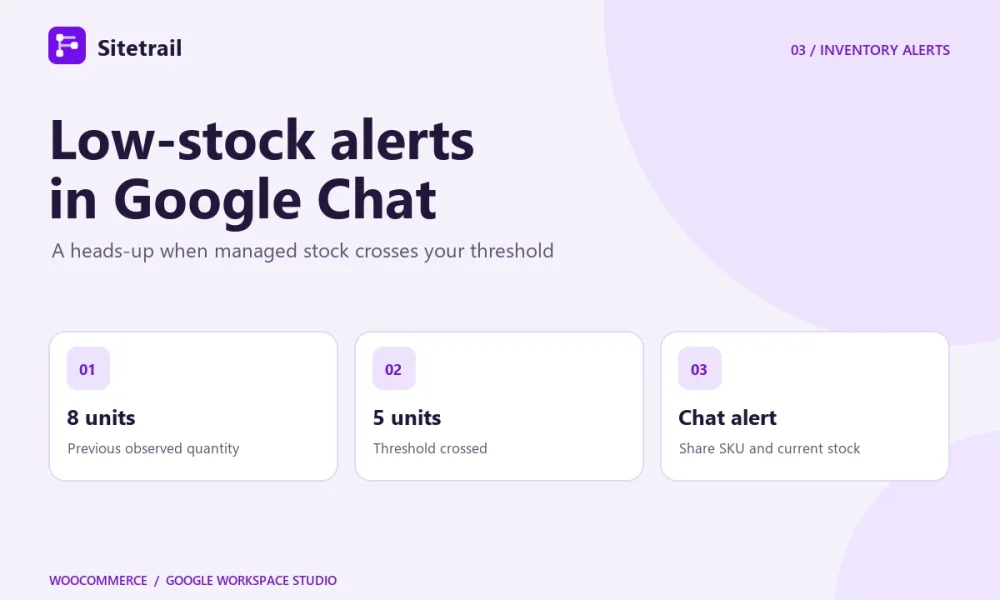
Give the person who orders inventory a message when managed stock crosses a threshold. Sitetrail’s Stock falls below threshold starter supplies the product and quantity. Google Workspace Studio’s Post in a space step sends those details to the Chat space you choose.
How the stock threshold works
The starter compares the latest observed stock quantity with the previous one. The first observation establishes the baseline. With a threshold of 5, an observed move from 8 to 5 qualifies because the quantity moved from above the threshold to at or below it. A later change from 5 to 4 is still on the same side of the threshold. If the connector later observes a restock to 12, the next observed drop to 5 can trigger another alert.
This recipe uses WooCommerce’s managed stock quantities. A product marked In stock with quantity tracking disabled cannot produce the quantity crossing the flow needs. For a variable product, check whether WooCommerce manages inventory on the parent or on individual variations, so you know which quantity the alert describes.
Build the alert
- Check the connection and stock settings. Select a connected store where the connector can receive events. If you use the bridge and its event setting is off, enable Send WooCommerce events in its WooCommerce module. Confirm that the test product or variation tracks stock.
- Set the trigger. In Studio, select Stock falls below threshold and choose the store. Enter a whole-number threshold, such as 5. For the first test, use the optional Product ID filter to limit the flow to one product. For a variation, the filter takes its parent product ID.
- Compose the Chat message. Add Google Chat’s Post in a space step, select the purchasing or test space, and map product name, SKU, previous quantity, current quantity and product URL. Include the variation ID when you track variations separately. For example, “Low stock for MUG-BLUE. Quantity fell from 8 to 5. Review the product and decide whether to reorder.”
- Test delivery and the crossing separately. Send a fictional sample to the active flow to check where the message lands and how it reads. To confirm the threshold behavior, use a test product on a test store. With the flow active, establish an observed quantity above the threshold, then lower it to the threshold. Check connector delivery history and Studio activity.
If the alert doesn’t arrive
Check whether the previous observed quantity was above the threshold. If the first observation was already below it, the flow has yet to see a crossing. Also verify the store, product filter, event setting and stock-tracking level. If the starter delivered but the Chat step failed, check the flow owner’s access to the space. This recipe sends a message only. Your team decides when to reorder and whether to change stock.
Explore WooCommerce stock automation in Workspace Studio · View the Google Workspace Marketplace listing · See Google’s Chat step documentation