
For WordPress agencies, dental practices & law firms

How to add a 24/7 AI receptionist
to a dental or law firm WordPress site.

No phone number needed. Give visitors a way to speak, get answers and leave their details while they are still on your client’s website.

AI Live Chat Pro by Sitetrail combines browser voice conversations, text chat and business knowledge in one WordPress plugin. Agencies can offer it as a branded client service. Practices and firms can buy directly from Sitetrail.

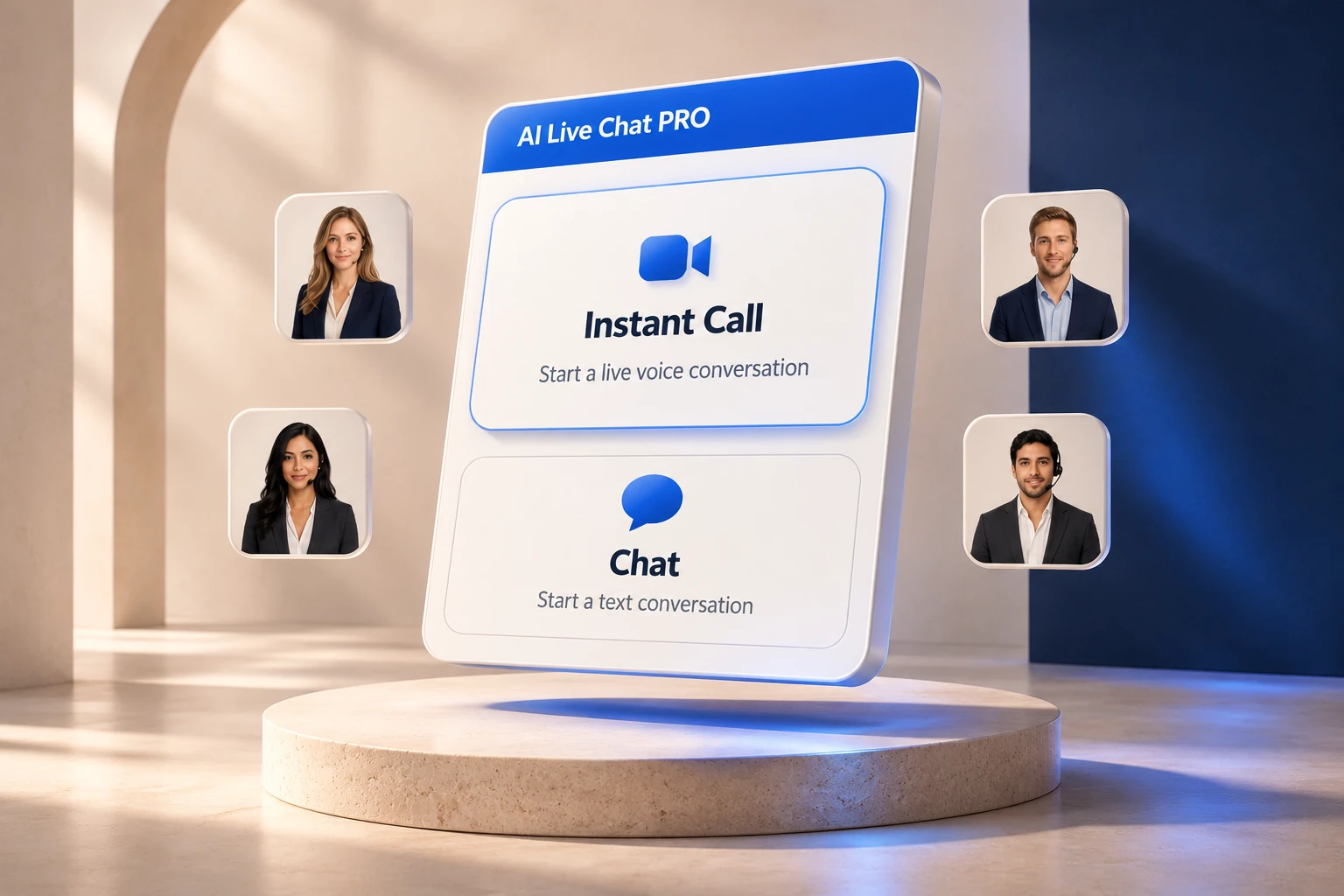
Product illustration of Instant Call and Chat with four agent portrait choices
One website · Voice, text and contact capture
Reception beyond office hoursAnswer routine questions around the clock
No business phone line to connectInstant Call runs through the visitor’s browser
A useful agency add-onSetup, knowledge care and ongoing review

Turn an unanswered question into a conversation

Your client paid for the visit.
Help them make the most of it.

A prospective patient checks the website after work. A business owner researches legal services at the weekend. Both may need a straightforward answer before deciding what to do next. An AI receptionist gives them somewhere to start, even when the office team is unavailable.

For WordPress freelancers and agencies, this creates a practical service opportunity: improve how a client’s existing website handles enquiries, then keep that experience useful as the business changes.

Two verticals. Different information. The same direct access.

What can an AI receptionist do for a dental practice or law firm?

Start with the public questions a receptionist answers repeatedly. Give each client its own approved information, wording and follow-up instructions.

Dental practice websites

Help prospective patients take the next step.

A dental AI receptionist can explain the practice’s published services and everyday arrangements, giving visitors useful context before they contact the team.

  • Describe services such as routine examinations, hygiene appointments or cosmetic consultations using practice-approved information.
  • Explain opening hours, location, parking, accessibility and the new-patient process.
  • Answer questions about published payment options or fees when those details are supplied and current.
  • Collect contact details and let visitors request a team follow up.
“I’m a new patient. Do you offer evening appointments, and what happens at the first visit?”

Keep answers about symptoms or treatment decisions with the dental team. Configure the receptionist to explain the practice’s contact route when a question needs professional attention.
Law firm websites

Make the first enquiry less daunting.

A law firm AI receptionist can help a visitor understand the firm’s published services and enquiry process before they decide whether to approach it.

  • Explain practice areas, office locations and the types of enquiries the firm invites.
  • Describe how an initial consultation is requested and which contact route the firm prefers.
  • Clarify published consultation fees or service packages where the firm has supplied that information.
  • Save contact details and conversation context for the team’s follow up.
“Does your firm advise small businesses on contracts, and how do I request an initial discussion?”

Use it for reception and general service information. Case assessment, legal advice, conflict checks and decisions about accepting a client remain with the firm.

Website voice, without a telephone project

What does “no phone number needed” mean?

Instant Call connects the visitor’s microphone to an OpenAI voice session through the browser. The business does not need to provision a number, port a line or arrange call forwarding for that website conversation.

The visitor chooses Instant Call, enters their name and email, allows microphone access and speaks. They can also choose text chat. A compatible browser, HTTPS, provider access and the plugin’s configuration are part of the setup.

This removes the need to send that website visitor to WhatsApp, Viber, Telegram or a separate meeting link just to start talking. Existing telephone and messaging channels can stay in place for people who prefer them.

Instant Call is a website conversation with an AI receptionist. It does not answer calls dialled to the practice’s or firm’s existing telephone number.

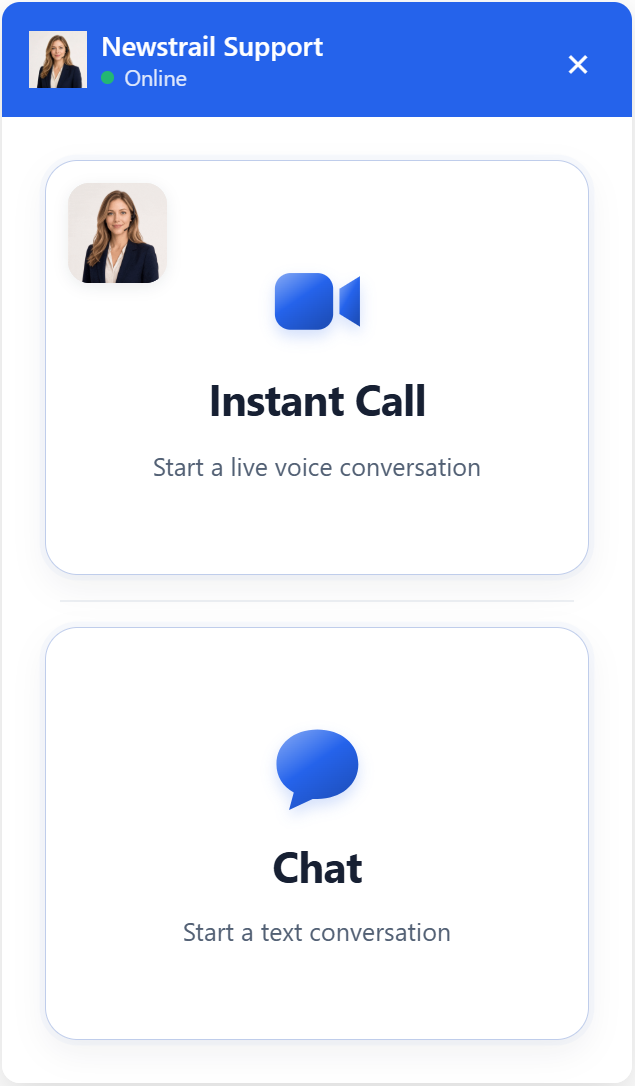
Actual AI Live Chat Pro interface with Instant Call and Chat choices
Actual Instant Call and Chat choices, shown with example customer branding.

A repeatable agency workflow

How to add the AI receptionist to WordPress

The basic plugin upload is a short job. A reliable client deployment also needs approved knowledge, provider configuration and testing. Treat “five-minute installation” as the starting point, not a promise that a finished dental or legal reception service takes five minutes.

Install the WordPress plugin

Download AI Live Chat Pro from Sitetrail, upload the ZIP through Plugins → Add New → Upload Plugin, and activate it. Set up the site’s trial or licence. The same plugin works on a standard WordPress website; WooCommerce is optional.

Connect the AI provider

Save the client’s provider credentials in AI Configuration. Instant Call requires OpenAI access even if Grok supplies text answers. Agree who owns the provider account and pays usage charges before handing the site over.

Give it the client’s knowledge

Add approved FAQs, service information and relevant website pages to the knowledge base. Include the firm’s or practice’s actual hours, locations and enquiry process. Supply business instructions for questions that need a person, and keep confidential case or patient records out of the public reception knowledge.

Match the client’s brand

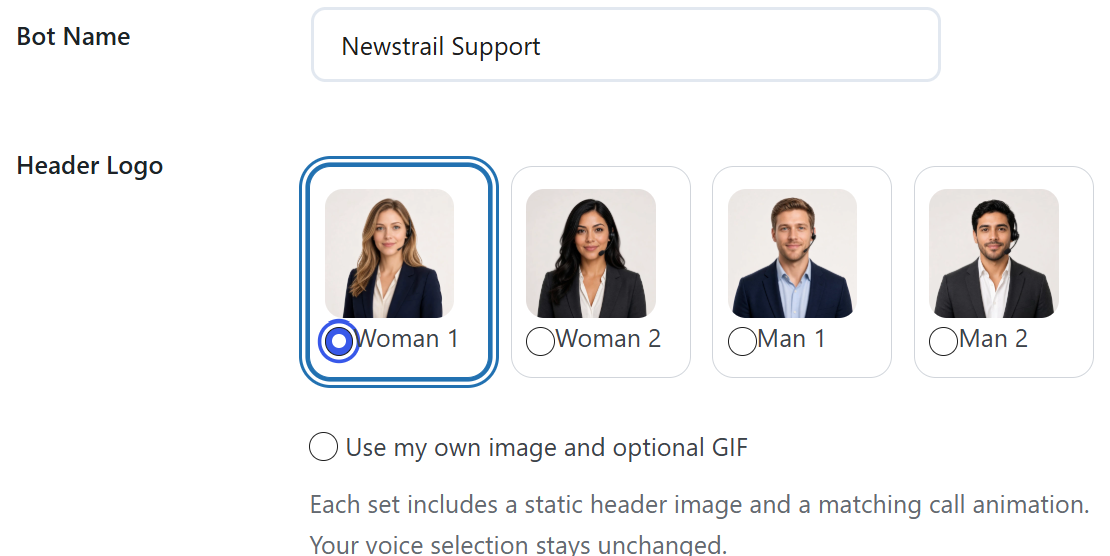
Choose the assistant’s name, colours and portrait, or use a custom image and optional GIF. The plugin includes four animated portrait sets. Voice selection is separate from appearance. Branding controls let you adapt the visitor-facing widget to the client.

Enable Instant Call and place the widget

Turn on Instant Call under User Experience. Choose a supported voice and whether to use a matching prerecorded greeting. Use the floating widget or place the plugin’s embed on a dedicated contact or support page. Set appropriate call duration, concurrency and daily voice allowances.

Test the enquiry and follow-up journey

Try the client’s real questions on desktop and mobile. Check microphone permission, voice playback, text fallback, contact records and configured follow-up emails. Confirm answers against the approved source material before making the widget available to visitors.

Your client’s identity. Your ongoing service.

Build a retainer around useful reception.

Agencies can package the receptionist alongside WordPress maintenance, hosting or conversion work. The ongoing value is keeping the assistant informed and the enquiry journey working, rather than simply charging for a plugin installation.

A sensible service can include initial configuration, branded presentation, monthly knowledge updates, conversation review and checks on follow-up delivery. Changes to staff, opening hours, services or fees become part of the maintenance routine.

Use conversation history to find recurring questions the website does not answer clearly. Review the plugin’s visitor ratings, handoff counts and optional lead classifications with the client. These give the retainer a practical agenda beyond software updates.

Set your own service scope and client pricing. Specify what is included, how provider usage is charged and who handles enquiries that need a human. A practice retains responsibility for its patient journey; a law firm retains responsibility for its client intake.

Actual appearance settings showing four agent portraits and the custom image option
Actual appearance settings, with included portraits and a custom image option.
Included animated AI agent portrait 1
Portrait 01
Included animated AI agent portrait 2
Portrait 02
Included animated AI agent portrait 3
Portrait 03
Included animated AI agent portrait 4
Portrait 04

For one client or a growing portfolio

Choose your agency or direct licence.

Start with one website, expand across a portfolio or buy directly for your own dental practice or law firm. Sitetrail’s current monthly licences use website allowances, so you can choose the footprint that fits your deployment.

For a single practice or firm

Essential

1 website

$25 / month

A direct route for a business managing its own WordPress site, or an agency starting with one client.

Explore Essential
For a growing client portfolio

Growth

Up to 10 websites

$49 / month

For freelancers and smaller teams adding an AI receptionist to several client websites.

Explore Growth

AI provider usage is billed separately from the plugin licence. Configure each client’s branding, knowledge and provider access for that business. For a particular resale arrangement or custom implementation, speak with Sitetrail to agree the scope and terms.

Useful visibility for you and your client

Keep the conversation connected to the next step.

01

Contact details

Instant Call saves name and email before microphone access. Text pre-chat can require a phone number through the Require Phone setting. The direct call form in this version collects name and email only.

02

Conversation context

Text and voice use shared business knowledge. Spoken captions are saved to the conversation, and visitors can continue in text. Teams can review the available transcript when following up.

03

Connected workflows

Optional HubSpot, Mailchimp, Slack and webhook integrations support contact and notification workflows when configured. The plugin’s team follow-up route gives visitors a next step when the enquiry needs a person.

Agency and practice questions

AI receptionist setup FAQs

Can I add an AI receptionist to a dental or law firm WordPress site without changing its design?

Yes. AI Live Chat Pro can use a floating widget or an embedded view on a chosen page. Configure its colours, name and portrait to suit the existing site. A complete website redesign is not required.

Does the AI receptionist need a telephone number or WhatsApp account?

No business telephone number or WhatsApp account is needed for Instant Call. It uses browser audio. An optional WhatsApp contact route is separate and needs the business’s WhatsApp number.

Can a WordPress agency resell it as part of a maintenance retainer?

Agencies can offer installation, branding, knowledge maintenance and ongoing review as a client service. The Agency licence supports up to 1,000 websites. Use the plugin’s branding controls for the client-facing experience, and agree any particular resale or custom development terms with Sitetrail.

Can a dental practice or law firm buy directly from Sitetrail?

Yes. A business can choose the Essential licence for one website, configure its own installation and provider account, and start with a free trial. If it wants help with a particular implementation, it can discuss the required scope with Sitetrail.

Can I install and launch everything in five minutes?

Uploading and activating a plugin can be quick. A client-ready receptionist also needs provider access, accurate business knowledge, suitable settings and testing. Allow time for those steps rather than promising a complete deployment in five minutes.

Will it book dental appointments or legal consultations automatically?

The setup described here answers questions and supports contact capture and team follow up. It can explain the booking process you supply. Do not assume that it checks live appointment availability or writes bookings into a practice or case-management calendar without a separately implemented connection.

Can it provide dental advice or legal advice?

This page describes a receptionist for public service information and general enquiries. Configure business instructions to refer clinical, case-specific or otherwise professional questions to the team. Keep private patient and case material out of the public reception knowledge.

What costs extra beyond the licence?

AI provider usage is separate. Instant Call requires OpenAI access, including when another supported provider handles text chat. Agency setup, maintenance and any custom integration work should be scoped separately from the plugin licence.

What should an agency review each month?

Check whether business details and approved answers are current, review conversation history and visitor ratings, examine follow-up outcomes, and retest the contact journey after relevant site changes. Optional lead classifications can help the client distinguish support enquiries from potential new business.

For agencies

Make better reception part of your service.

Add a useful client capability, keep the knowledge current and turn real conversations into a better informed maintenance relationship.

Explore the agency licence

For dental practices and law firms

Give your next visitor a place to start.

Explore AI Live Chat Pro, try it with your own business information and choose the licence for your website.

Explore the plugin & free trial

Compare 15 AI receptionist tools

Plugin Downloaded Congratulations Installation Guide: 

  1. In WordPress, go to Plugins → Add New Plugin.
  2. Click Upload Plugin and select the downloaded ZIP file.
  3. Click Install Now, then Activate Plugin.


Your free trial starts automatically. No license key is needed yet.